


You’ll discover that Miro keeps your team aligned on digital signage through real-time updates and customizable templates tailored for seamless communication. By integrating platforms like Salesforce and Google Sheets, data sharing becomes effortless, ensuring everyone’s in sync. You can visualize brainstorming sessions with an infinite canvas, transforming ideas into dynamic visual boards. Immerse yourself in Miro’s extensive features to streamline project transparency and up-to-date engagement, setting the stage for even more in-depth insights.
Key Takeaways
- Miro integrates with Salesforce and Google Sheets for seamless data sharing, ensuring all teams are updated simultaneously.
- Customizable templates facilitate the clear communication of strategic goals and project milestones, aligning team objectives.
- Real-time dashboards display KPIs and project progress, providing transparency and fostering informed decision-making.
- Interactive widgets transform brainstorming sessions into engaging visual tools, promoting team participation and alignment.
- Digital signage features real-time updates, keeping frontline workers informed and aligned with overarching business goals.
Implementing Miro’s Digital Signage for Enhanced Team Collaboration

When implementing Miro’s digital signage for enhanced team collaboration, you’re equipping your team with a powerful tool that streamlines communication and boosts productivity. With Miro’s dynamic widgets, real-time updates of project milestones enhance team engagement by ensuring everyone stays visually informed. These updates foster alignment and allow you to showcase outcomes from workshops and brainstorming sessions instantly. A wide array of customizable templates allows you to tailor visually impactful content for your team, ensuring that strategic goals are communicated effectively across departments. Integrate tools like Salesforce and Google Sheets to facilitate seamless data sharing and maintain alignment. And, as essential updates reach frontline workers through digital signage, your entire team can engage in achieving shared objectives.
Enhancing Project Transparency Using Live Miro Boards
Even as projects grow in complexity, transparency no longer has to be a challenge when you leverage Miro’s live boards. Experience complete project visibility with real-time updates that elevate your digital signage projects without the hassle of frequent meetings. Miro’s boards allow you to visualize brainstorming sessions and creative ideas, ensuring everyone is aligned on project goals. Imagine instantly reflecting workshop outcomes and milestones through dynamic widgets, making developments accessible to all stakeholders. With real-time dashboards showcasing KPIs, every team member stays thoroughly informed. Furthermore, using customizable templates streamlines your project’s lifecycle, fostering clear communication and alignment. Miro supports a tech-savvy approach to project management, allowing teams to efficiently adapt and maintain transparency throughout all phases.
How to Seamlessly Communicate Across Teams With Miro
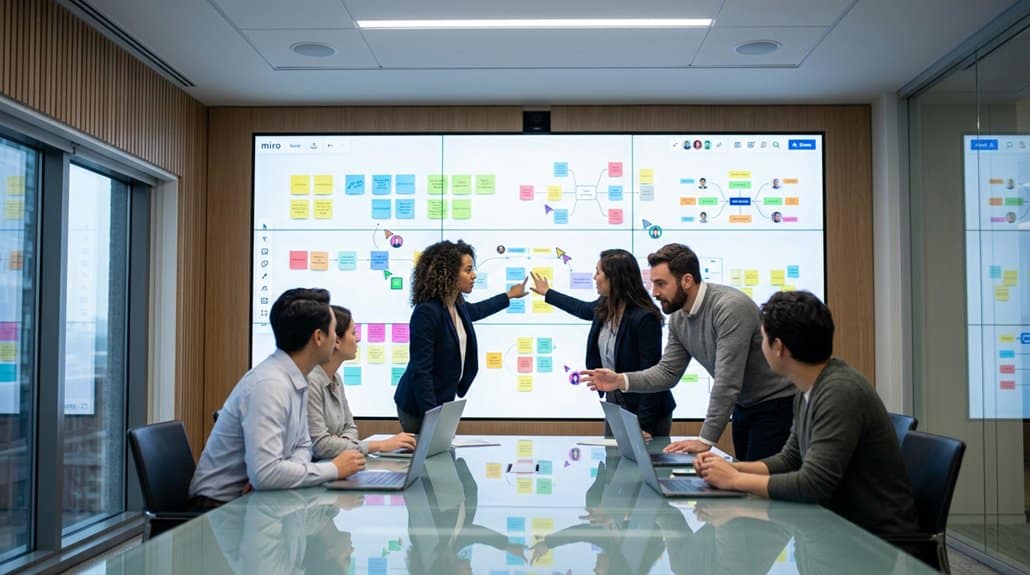
To truly capitalize on transparent project management, seamless communication across teams becomes a linchpin, and Miro stands ready to facilitate this with finesse. Imagine effortlessly integrating cross functional collaborations through its intuitive platform. With integrations for Slack and Microsoft Teams, you’re looking at streamlined communication within your existing workflow. Miro’s infinite canvas isn’t just a feature; it’s a game-changer for visual brainstorming. Teams bring forth ideas in real-time, bridging any gap in digital signage strategy with vibrant clarity. By leveraging Miro’s dynamic brainstorming sessions, all stakeholders gain a consistent understanding of branding and messaging. Its facilitation tools allow potent discussions, ensuring everyone’s voice is heard, driving alignment, and fine-tuning digital signage goals seamlessly.
Step-by-Step Guide to Setting Up Miro Widgets for Engagement
Setting up Miro widgets for engagement is a rewarding venture that can revolutionize the way your team interacts with digital signage. Start by exploring Miro’s vast customization options to tailor widgets to your team’s needs. Engage your team with dynamic, live, and auto-updating displays, showcasing impactful boards like workshop outcomes and project milestones. Use widget customization to highlight essential metrics and ongoing projects, driving alignment and awareness.
Incorporate data from integrated platforms to guarantee your widgets reflect the latest developments, keeping your team informed and engaged. Leverage Miro’s templates to facilitate brainstorming sessions and feedback collection. These can be transformed into interactive widgets that boost participation and engagement. Strategically plan your widget setup to foster collaboration and amplify your organization’s engagement strategies.
Tracking Progress: Using Miro Analytics for Informed Decisions
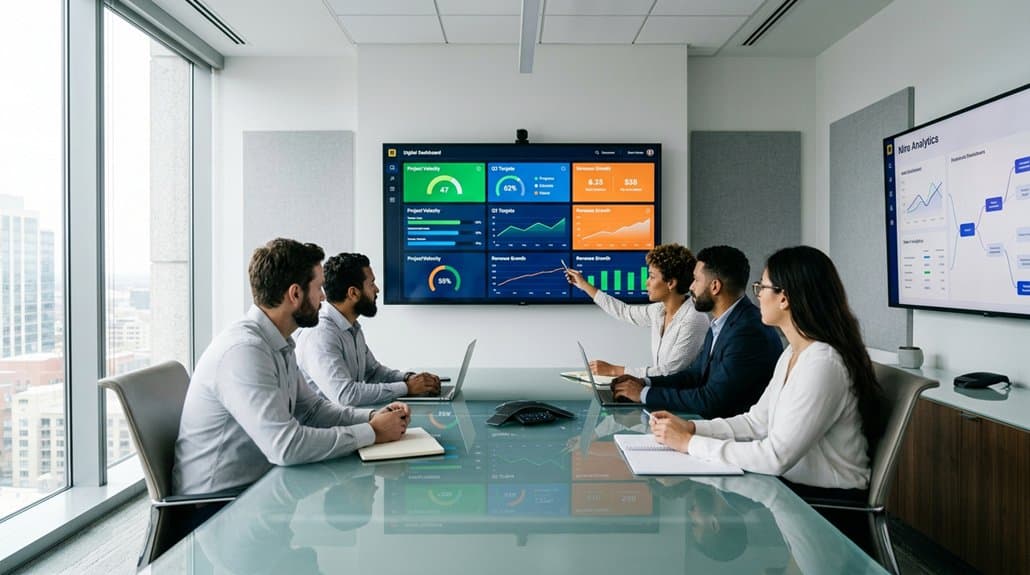
Although effective progress tracking is essential for driving project success, Miro Analytics elevates this by providing real-time insights that lead to informed decision-making. By activating dynamic dashboards, you can keep everyone updated with the latest project milestones and outputs. Miro’s seamless integration with Salesforce and Google Sheets transforms your digital signage into a powerhouse of transparency and visibility.
| Feature | Benefit | Actionable Insight |
|---|---|---|
| Real-time Dashboards | Live Project Updates | Instant Decision-Making |
| Dynamic Widgets | Track Milestones | Enhanced Visibility |
| Data Integration | Visualize KPIs | Boosted Customer Engagement |
Frequently Asked Questions
How to Use Miro With Teams?
You can use Miro with teams by leveraging its collaborative brainstorming capabilities and visual project management tools. Quickly organize ideas, strategize efficiently, and keep everyone informed with real-time updates. It’s perfect for tech-savvy, detail-oriented teamwork.
How to Move Boards Between Teams in Miro?
Curious if you’ve heard this: to move boards between teams, tap “Share,” adjust the team under settings. It streamlines board organization and boosts team collaboration. Communicate changes proactively to guarantee seamless shifts in your projects.
How Do I Share a Miro Board With Another Team?
To share a Miro board with another team, use the “Share” button. You’ll enhance collaboration benefits by setting access levels. Integrate with tools like Slack for streamlined communication, keeping your team’s workflow seamless and efficient.
What Is Miro Teams?
Miro Teams is a feature-packed tool that enhances team collaboration by providing dedicated workspaces. It lets you seamlessly share boards, foster real-time creativity, and streamline feedback with Miro’s dynamic features, boosting your project management efficiency.
Conclusion
Envision a conductor leading an orchestra, ensuring every instrument plays in harmony. That’s Miro for your team—streamlining communication and alignment across digital signage. Visualize this: A team used live Miro boards and saw a 30% increase in project transparency. With widgets engaging participants like a dynamic symphony, and analytics guiding your next move, you’ll find your team striking the perfect chord—each project completed with precision and clarity. With Miro, alignment isn’t just a goal, it’s a reality.