
Exploit Google Reviews on digital signage to boost engagement and trust. Showcase high-rated reviews (4-5 stars) with concise excerpts, intriguing visuals, and personal touches like customer names and locations. Implement automation for real-time updates to keep content fresh and dynamic. Strategically place screens at eye-level in high-traffic areas for maximum impact. Using consumer testimonials effectively can greatly enhance product visibility and drive sales. Discover actionable insights to transform your digital signage strategy further.
Key Takeaways
- Display rotating positive Google Reviews with visuals to captivate and maintain viewer interest on digital signage screens.
- Integrate real-time updates of reviews using automation tools to keep content fresh and credible.
- Highlight high star ratings and concise review excerpts to showcase customer satisfaction and build trust.
- Utilize compelling images or short videos alongside reviews to enhance viewer engagement and emotional connection.
- Use reviewer first names and locations for a personalized touch, increasing authenticity and connection.
Explore the Benefits of Google Reviews in Digital Signage
Incorporating Google Reviews into digital signage holds immense potential for businesses looking to enhance their brand’s trustworthiness and appeal. By showcasing real-time feedback, you create an authentic connection with your audience, as 72% of consumers trust online reviews as much as personal recommendations. Displaying real-time customer experiences not only builds customer trust but also maintains engaging and constantly updated content without continuous effort on your part. This strategy taps into the power of social proof, affecting purchase decisions, as noted by 79% of consumers relying heavily on user-generated content. Additionally, highlighting these customer testimonials encourages others to share their experiences, boosting community interaction and contributing to a vibrant brand presence. Leverage Google Reviews to strengthen your customer relationships and foster loyalty.
How to Display the Best Reviews: A Selection Guide
Ever wondered how to make your customer feedback shine on digital signage? Your review selection is essential. Focus on high star ratings (4-5 stars) that highlight specific positive features of your service. Keep excerpts concise, around 1-2 sentences, to enhance clarity and viewer engagement. Rotate 5-10 selected reviews regularly, ensuring your content stays fresh and intriguing for your audience. Adding the reviewer’s first name and context or location offers a personalized touch, boosting relatability and trust.
Effective display strategies include using visuals like star ratings or customer photos alongside testimonials to captivate viewers. With these approaches, you’ll not only spotlight customer satisfaction but also drive repeated engagement by prompting viewers to look for new feedback and insights.
Automating Update Cycles for Fresh Content
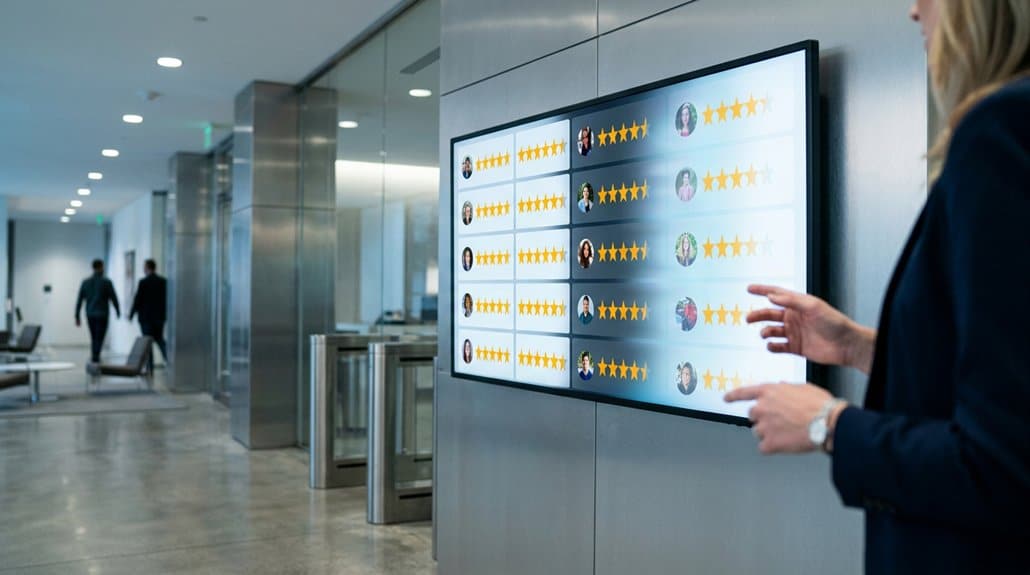
You’ve showcased your best reviews with flair, and now it’s time to guarantee they remain fresh and engaging. Automating update cycles for Google Reviews on digital signage transforms static displays into dynamic content powerhouses. By using tools like Walls.io, you can automate the pulling of fresh reviews, ensuring automated testimonials appear regularly without manual input, keeping audiences captivated. Real-time updates inject authenticity, making testimonials more credible. An API or a digital signage platform with automation capabilities streamlines this process, saving time and maintaining display quality. Scheduling automation allows you to adapt content based on relevance or audience, ensuring feedback resonates with viewers at peak times. Leverage automated testimonial updates to enhance customer experience with current social proof.
Pairing Visual Elements With Reviews for Greater Impact
To boost viewer engagement, pair Google Reviews with compelling visuals, as studies show that visuals can boost retention rates by up to 65%. By strategically placing images or customer photos alongside reviews, you create an emotional connection, leading to greater trust and interaction. Trend-savvy designs like animated graphics or highlighted star ratings can increase customer interactions by 20%, driving dynamic engagement with your content.
Enhancing Engagement With Imagery
While many businesses recognize the power of customer reviews, combining these testimonials from Google Reviews with eye-catching imagery can greatly amplify their impact. By engaging in visual storytelling, you can elevate each review to a new level of engagement, making it approximately 60% more likely to capture your audience’s attention. Pairing vibrant photos or short video clips with review excerpts not only enhances their aesthetic appeal but also deepens the audience’s emotional connection. This strategy boosts the engagement rate tenfold, making your audience more inclined to share experiences on social media. By using images that reflect your community, you increase authenticity, ensuring reviews resonate with local audiences and potentially drive more foot traffic to your business.
Strategic Visual Placements
When strategically positioned, visual elements paired with Google Reviews can markedly boost customer interaction and trust. By placing reviews alongside high-quality images, you’re not just displaying feedback—you’re enhancing credibility, making potential customers more likely to engage. Imagine combining dynamic video clips of testimonials with written reviews; this approach invites deeper viewer engagement through the power of dynamic content. Consider these strategic positioning tactics:
- Target audience engagement: Pair eye-catching graphics and animations with key phrases from reviews to retain attention and enhance memorability.
- Increase purchase likelihood: Position reviews near relevant products at the point of sale, creating an environment ripe for persuasive audience targeting.
- Differentiate brand image: Use distinct formats, like speech bubbles or highlighted stars, to emphasize satisfaction and improve brand perception.
Maximize Viewer Engagement Using Signage Placement
Placing digital signage in high-traffic areas like entryways and waiting rooms can markedly boost viewer engagement with your Google Reviews content. To keep your audience’s attention, rotate through 5-10 reviews with engaging visuals and adjust screen positions based on data-driven insights tracking viewer interaction. By focusing on ideal screen placement and strategic content rotation, you’ll guarantee maximum exposure and interaction with your target audience.
Optimal Screen Location
To maximize viewer engagement with Google Reviews, strategic signage placement is essential. Prioritize high-traffic areas like entrance lobbies and waiting rooms to capitalize on initial impressions. By positioning screens at eye-level and ensuring screen visibility from multiple angles, you can markedly enhance engagement. The right strategic placements, such as point-of-sale locations, can reinforce positive customer testimonials, boosting confidence and increasing sales.
Consider these key points:
- Place signage near seating areas where customers gather to increase dwell time and encourage repeat visits.
- Utilize easily visible screens at eye-level to enhance viewer recall and engagement with content.
- Integrate interactive touch screens in strategic locations to offer customers a deeper, engaging experience.
Strategic Content Rotation
Having refined the screen location for peak viewer engagement, let’s explore how strategic content rotation can further elevate this experience. Implementing a rotating schedule prevents viewer fatigue and keeps your digital signage dynamic. Adjust your content timing to guarantee no single review lingers too long, maintaining interest. Highlight different review categories like service quality and product satisfaction to cater to varied audience preferences. Position your screens in high-traffic areas—entrances or waiting zones—where they command maximum attention. Use engaging visuals, incorporating elements like star ratings and customer photos, to enhance interaction. Monitor interaction data to fine-tune rotation frequency and determine ideal display times, ensuring your signage captures viewers when they’re most receptive. Data-driven refinement is key to your signage strategy.
Targeted Audience Focus
How can you guarantee your digital signage captivates while informing? The key lies in its placement and messaging strategy. By understanding audience demographics, you can strategically place screens in high-traffic areas, like waiting rooms, ensuring they’re seen by the right people at the right time. Tailored messaging, featuring real-time relevant Google Reviews, boosts personal engagement. Incorporate QR codes next to reviews to invite instant viewer interaction and drive traffic to your online presence.
- Strategic locations: Position screens where your audience naturally gathers.
- Dynamic content: Rotate Google Reviews based on audience demographics and peak times.
- Clear design: Use contrasting colors and readable fonts to make reviews stand out.
This approach not only informs but also enhances viewer engagement through personalized, targeted experiences.
Highlighting Your Best Products Through Customer Feedback
Customer feedback is a powerhouse for showcasing your best products, allowing you to spotlight top-rated items through the lens of real-user experiences. Incorporate snippets from Google Reviews to emphasize specific features and benefits, greatly enhancing customer credibility. By displaying star ratings alongside positive review excerpts, you visually emphasize satisfaction, which is crucial for trust building. Rotate 5-10 reviews of your flagship products on digital signage to keep content fresh and compelling for both new and repeat visitors. Personalize the feedback by including the reviewer’s first name and, if possible, a small photo. This approach not only highlights popular products but also influences purchasing decisions by leveraging authentic endorsements, ultimately driving higher sales conversions effectively and efficiently.
Analyzing How Google Reviews Enhance Customer Engagement
Shifting focus from showcasing your best products through customer feedback, it’s time to analyze how Google Reviews play a pivotal role in enhancing customer engagement. Displaying these reviews on digital signage screens not only fosters review authenticity but also bolsters consumer trust, given that 79% of people trust online reviews like personal recommendations. With 90% of consumers reading reviews before visiting a business, this transparency boosts foot traffic.
- Featuring dynamic, rotating reviews grabs attention more effectively than static messages.
- Updating reviews in real-time keeps content fresh, creating a community feel.
- Highlighting genuine user reviews enhances brand credibility, 68% believing businesses with real feedback provide quality.
In the digital age, leveraging authentic reviews is essential to build trust, visibility, and engagement.
Frequently Asked Questions
How Can Businesses Incentivize Customers to Leave More Google Reviews?
Offer exclusive discounts or loyalty points as review incentives. Engaging customers with gamified experiences or personalized thank-you messages, as per recent trends, fosters customer engagement and boosts your Google reviews markedly in today’s competitive landscape.
Are There Privacy Concerns With Displaying Google Reviews Publicly?
It’s like showcasing a play where the actors haven’t agreed to be there. Without user consent, displaying Google reviews may breach data protection laws, raising privacy concerns. Guarantee transparency and follow trends prioritizing customer trust and legal compliance.
What Are the Best Practices for Moderating Displayed Reviews?
To guarantee review authenticity and boost audience engagement, filter reviews based on star ratings and relevant keywords. Monitor content regularly using AI tools, and maintain a responsive system that aligns with current trends and audience preferences.
How Do We Handle Negative Reviews in Digital Signage?
Handling negative reviews on signage requires empathy and strategy. Imagine a sea of feedback; some waves crash harder than others. Address reviews promptly, highlighting solutions. Conduct a review impact analysis to understand trends and improve responses effectively.
Can Multilingual Reviews Be Displayed Effectively on Digital Signage?
Yes, you can effectively display multilingual reviews on digital signage by employing real-time translation tools. Validate cultural sensitivity aligns with global trends, so your audience feels connected. This approach leverages data-driven insights for peak engagement.
Conclusion
By weaving Google Reviews into your digital signage tapestry, you’re not just keeping things fresh; you’re stepping into the limelight of innovation and engagement. Choose the crème de la crème of reviews to highlight, and you’ll see your audience’s curiosity piqued and engagement rates climb. The secret sauce lies in pairing dynamic visuals with insightful feedback, ensuring your message doesn’t just fade into the background. So, let your displays do the talking and watch your business thrive.