

You can transform your digital signage by using The Guardian to display live headlines, providing fresh, global news that captivates and informs your audience. Tap into diverse interests, from business to sports, enhancing your brand’s image with credible, real-time content. Customizable settings let you align news with your brand’s values, boosting engagement and credibility. Maximize impact by optimizing refresh rates and content variety. Explore more strategies on integrating The Guardian’s reliable updates into your marketing efforts.
Key Takeaways
- Display real-time headlines from The Guardian to enhance viewer engagement with fresh global news.
- Customize news categories and post duration to align with brand identity and viewer interests.
- Utilize RSS integration for seamless updates and continuous content refreshment.
- Leverage The Guardian’s reputable journalism to enhance brand credibility and consumer trust.
- Enhance audience interaction by curating news that resonates with diverse interests, including business and sports.
Why Use The Guardian for Digital Signage?
When it comes to digital signage, incorporating The Guardian app guarantees your displays are always stocked with the freshest global news, capturing your audience’s interest. The benefits overview includes offering a steady stream of timely and relevant information, which keeps your content engaging and your viewers informed. Target audience varies widely—from business professionals seeking the latest economic updates to sports enthusiasts tracking their favorite teams. By utilizing a reputable source like The Guardian, you not only enhance your brand’s image but also secure the integrity of the information presented. Customizable display settings allow you to tailor the news content to fit your branding, making it a flexible tool for any organization aiming to create an engaging, informative environment.
Quick Setup Guide for The Guardian App
To get started with The Guardian app on Yodeck, simply add it from the app gallery, giving it a name and optional description. Customize your display by selecting news types that resonate with your audience, setting the refresh rate for timely updates, and determining how many posts to show. Once everything’s set, activate the app to keep your digital signage fresh with the latest global news.
App Installation Process
Getting started with The Guardian app on your Yodeck digital signage is a simple process that lets you keep your audience informed with real-time news updates. First, head to the app gallery and add The Guardian app, giving it a unique name and an optional description. For smooth operation, consider these installation tips: choose the relevant news type for your audience and decide on the refresh rate for the RSS feed, which controls how frequently updates are retrieved. Set how many posts you want to display and the duration for each post—ensure it’s at least 5 seconds. Having issues? Quick troubleshooting steps include double-checking your configurations and ensuring settings are saved to display live headlines effectively.
Customization Options Available
An exciting array of customization options empowers you to tailor The Guardian app to better fit your digital signage needs. Boost user engagement by selecting specific News types that resonate with your audience, creating a headline strategy that captures attention. During setup, assign a unique Name and Description, guaranteeing your app stands out on your Yodeck dashboard. Maximize content relevance by choosing a suitable Refresh Rate for updates and determining the Number of Posts you want displayed. Flexibility in Post Duration settings lets you control how long each headline is up, starting from a minimum of 5 seconds. These features, easily set up through the Yodeck app gallery, ensure your digital signage always displays current, engaging content.
Selecting the Ideal News Content and Refresh Rate
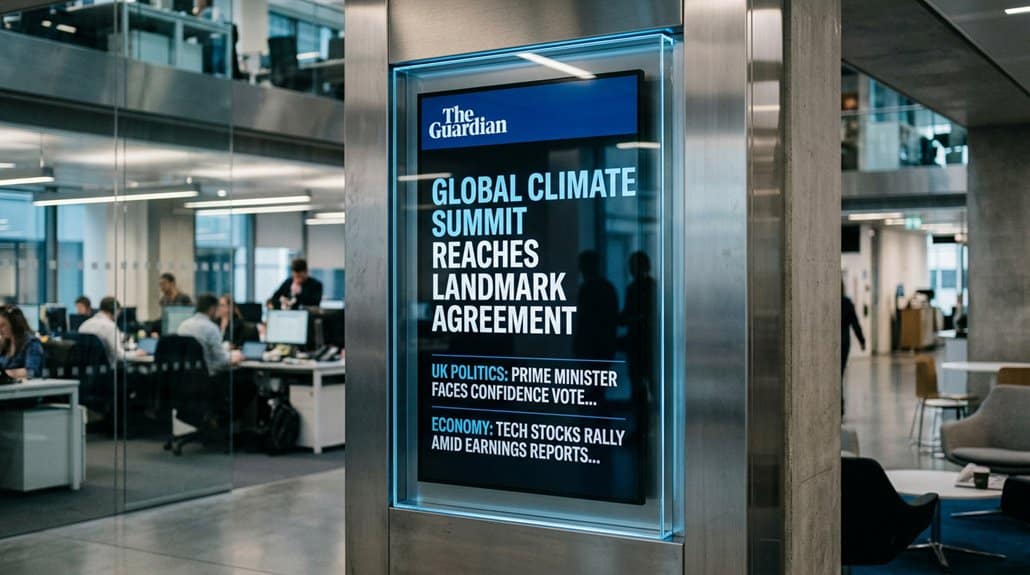
When setting up The Guardian app on your digital signage, you’ve got the flexibility to choose news categories like breaking news or sports to captivate different segments of your audience. Don’t forget to adjust the Refresh Rate so viewers always catch the latest headlines—real-time updates can keep engagement high. Finally, optimize the Post Duration to give enough time for your audience to fully absorb the content without lingering too long.
Choosing News Categories
How do you confirm that your digital signage content continually captivates its audience? Focus on your target audience and prioritize content relevance. With The Guardian app, you’re equipped to select from categories like breaking news, sports, and business. This guarantees your digital signage caters specifically to viewer interests, keeping them engaged.
Selecting Categories | Benefits
— | —
Breaking News | Captures interest with real-time updates
Sports | Engages sports enthusiasts with game highlights
Business | Attracts professionals with market insights
Setting Refresh Frequency
To keep your digital signage dynamic and engaging, consider how frequently the news content refreshes. Refresh rate optimization is key to guaranteeing timely updates and boosting viewer engagement. By configuring the refresh rate for The Guardian app, you can control how often headlines update based on real-time news. Selecting relevant news types tailored to your audience further enhances engagement and keeps your content fresh and appealing.
Aim for a balance with a minimum post duration of 5 seconds to maintain viewer retention while delivering current news smoothly. Adjust the number of posts shown to fine-tune the information flow, guaranteeing it’s just right for your audience’s consumption pace. This strategic combination guarantees an engaging, up-to-date digital signage experience.
Optimizing Post Duration
Selecting the ideal post duration for your digital signage setup can greatly boost its impact and readability. Set a post duration of at least 5 seconds, ensuring viewers ample time to absorb the headline, enhancing post visibility and audience retention. Adjusting the refresh rate is essential for keeping content exciting and timely. Carefully choose the type of news you display, whether it’s breaking stories or sports, to grab and hold interest. Keep your digital signage visually appealing by setting the number of posts to maintain focus on key updates. To optimize your setup, regularly review configurations and consider viewer feedback.
Here’s a quick guideline table:
| Aspect | Recommended Setting | Purpose |
|---|---|---|
| Post Duration | At least 5 seconds | Enhance readability |
| Refresh Rate | Adjustable | Keep content engaging |
| Number of Posts | Manageable quantity | Prevent screen clutter |
Custom Display Options for Better Engagement
While customizing your digital signage display, The Guardian app offers a suite of personalized settings that empower you to tailor content to better captivate your audience. Leveraging these features can considerably boost user engagement and enhance visual appeal. Here’s how you can make the most out of your display options:
- Select Relevant News Types: Choose categories like breaking news, sports, or business to match your audience’s interests, fostering interaction and keeping viewers engaged.
- Choose the Number of Posts: By controlling the number of headlines, you guarantee a continuous stream of fresh content that holds interest and prompts frequent glances.
- Optimize Post Duration: Adjust the display time to a minimum of 5 seconds, giving viewers ample opportunity to digest the information and maintaining their attention.
How Real-Time News Builds Your Credibility
When you integrate real-time news headlines from The Guardian into your digital signage, it instantly bolsters your brand’s credibility. This credibility boost comes from leveraging The Guardian’s reputation for top-tier journalism, reinforcing your image as a reliable source. Engaging viewers with current updates doesn’t just inform; it also fosters trust building by connecting your brand to informed decision-making. With a variety of topics—breaking news, sports, business—you cater to a diverse audience, capturing more attention and ensuring viewer retention. This real-time news feed creates a dynamic atmosphere, positioning your brand among respected sources, making patrons more likely to return for fresh updates. Your brand stands out as informed and dependable, ensuring a consistent, trustworthy presence.
Real-World Examples: Maximizing Impact With the Guardian
To illustrate how The Guardian on digital signage can transform audience engagement, seek no additional examples than the savvy deployment by a leading multinational retail brand.
They’ve brought headlines to life by curating news content that boosts audience interaction and aligns seamlessly with their brand identity. Here’s how:
- Customizable Displays: The brand tailors The Guardian’s diverse news topics to suit their core values, enhancing brand alignment and relevance for their shoppers.
- Real-Time Updates: By integrating a refresh rate for RSS updates, they guarantee consumers always have the freshest headlines, keeping them engaged and coming back.
- Credibility Boost: Leveraging The Guardian’s reputation, the brand strengthens its credibility, making its signage synonymous with reliable information.
This approach not only captivates audiences but keeps them engaged with informed, real-time content.
Frequently Asked Questions
What Are the 7 Key Elements of Digital Signage?
The 7 key elements of digital signage include robust hardware, effective software, clear visual design, real-time updates, content management, seamless connectivity, and audience engagement. You need these to guarantee reliable, engaging, and up-to-date displays that captivate viewers.
Can I Read the Guardian for Free Online?
Yes, you can read The Guardian for free online. The subscription model lets you access up to 10 articles monthly without charge. This guarantees content accessibility, though premium content may require a paid membership.
How to Operate a Digital Signage Display?
Did you know digital signage boosts brand awareness by 47%? Operate your display by keeping it online, using a content management system for display software, and tweaking settings for optimized delivery. Regularly update layout and monitor performance.
What Is a Digital Signage Display?
A digital signage display is an electronic screen showcasing interactive content to boost audience engagement. You’re able to dynamically present images, videos, and text, keeping viewers captivated and well informed across retail, corporate, or public locations.
Conclusion
By incorporating The Guardian on your digital signage, you boost engagement and credibility. Did you know that businesses displaying dynamic content like live news can see up to a 25% increase in viewer attention? It’s all about keeping your audience informed and engaged with real-time updates. With easy customization options and a quick setup, The Guardian provides the perfect solution for modernizing your display strategy. Embrace the power of live headlines to captivate your audience!