

Integrating Google Sheets with digital signage boosts operational visibility by ensuring real-time data synchronization and reducing manual content management errors. You’ll see improved insights through dynamic KPI visualizations, allowing agile decision-making across multiple locations. Well-organized data structures and clear headers enhance clarity, while automated updates keep information current without constant manual adjustments. By maximizing communication effectiveness through seamless integration, you’ll find enhanced capabilities. Discover more on optimizing operational visibility with this powerful combination.
Key Takeaways
- Provides real-time data synchronization, ensuring viewers see the most current information.
- Enhances clarity with visually impactful formatting, aiding quick comprehension of key metrics.
- Streamlines multi-location updates, granting immediate operational insights across all sites.
- Enables agile decision-making via internet-accessible data displays on digital signage.
- Automates content updates, eliminating manual errors and ensuring consistent information accuracy.
Unlocking Real-Time Visibility: Integrating Google Sheets With Digital Signage

Integrating Google Sheets with digital signage revolutionizes how organizations manage and display data by guaranteeing real-time synchronization and accuracy. You’ll find that automating data synchronization eliminates manual content management, drastically reducing errors and saving valuable time. This seamless integration enhances operational insights by enabling the dynamic visualization of key performance indicators and essential metrics. It guarantees that every piece of data displayed is relevant and current, providing immediate visibility into operations across multiple locations.
With customizable refresh rates, you can tailor data updates to align with your unique operational demands. This flexibility is vital for maintaining the timely communication of critical information, especially during peak business hours. Accessibility from any internet-enabled location empowers agile decision-making, fostering improved responsiveness and strategic agility.
Set Up Google Sheets for Impactful Displays
To create impactful displays using Google Sheets, a meticulously organized data structure is paramount for readability and effectiveness. Start by ensuring that your data organization is logical and systematic. Use header clarity to guide viewers; clearly label columns with relevant details like key metrics and schedules. This makes the information digestible at a glance. Publish your Google Sheet online to develop a public URL, enabling seamless integration with digital signage platforms like EasySignage. Leverage Google Sheets’ formatting tools, such as conditional formatting and data visualizations, to enhance the visual impact and clarity of your tables. Set your digital signage software to update at regular intervals, ensuring your displays always show the most current data. This meticulous setup elevates viewer engagement.
Real-World Applications: Maximizing Google Sheets in Digital Signage
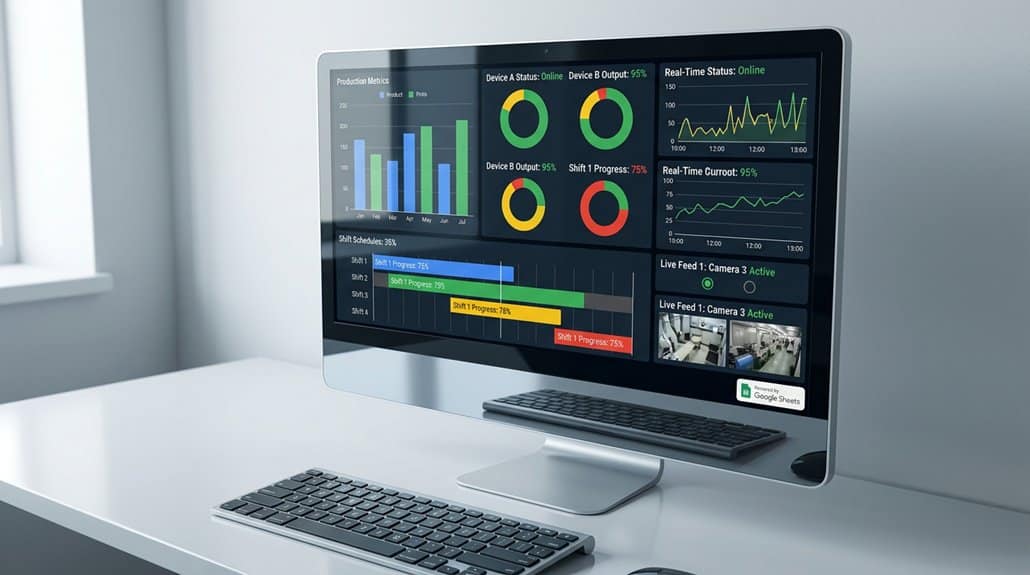
The integration of Google Sheets into digital signage systems has revolutionized the way organizations display real-time information. You can now effortlessly update restaurant menus and promotional offers, ensuring that all displayed content is pertinent and fresh. This capability allows for dynamic content adjustments without the hassle of manual input, streamlining operations. Analyzing performance metrics in educational settings is also more efficient, as they can be presented clearly on digital signage, offering immediate insights into academic progress and event scheduling.
In healthcare facilities, updating patient schedules and wait times via Google Sheets is seamless, enhancing patient communication and operational efficiency. Financial institutions use the integration to visually display KPIs and financial summaries, cultivating a data-driven environment that promotes informed decision-making across your teams.
Crafting Visually Compelling Google Sheets Displays
Building on the real-world application of Google Sheets in digital signage, it’s important to understand how crafting visually compelling displays can enhance operational visibility even more. Employing design principles like uniform row and column structures guarantees data is neatly organized for clarity. Emphasizing readability, large fonts paired with high-contrast color combinations maximize visibility from afar, tapping into effective color contrasts. Headers play an essential role, clearly categorizing content for easy navigation through data points. Focus on displaying only key metrics to maintain viewer attention and streamline communication. Prioritize data cleanliness and logical organization to facilitate effortless interpretation. By adhering to these practices within Google Sheets, you’ll greatly boost how effectively your digital signage communicates operational data.
Making Integration With Google Sheets Smooth and Hassle-Free

When integrating Google Sheets into your operational framework, seamless execution guarantees real-time data updates, enhancing visibility across your digital signage. By publishing Sheets to the web, you streamline data linkage to platforms like EasySignage and Valotalive. This user-friendly integration verifies displays reflect current information by activating the Google Sheets app within your management console. It’s designed to be intuitive, even for those with limited tech expertise. With automatic and seamless syncing capabilities, the need for constant manual updates is eliminated. This allows your team to focus on strategic tasks. Customizable refresh rates and multi-screen support empower you to present data tailored to your environment, maximizing communication effectiveness. Embrace this integration for a smoother operational experience.
Frequently Asked Questions
How to Make Digital Signage Accessible?
To make digital signage accessible, focus on inclusive digital signage design. Use clear fonts, contrasting colors, and ADA-compliant layouts. Boost audience engagement by tailoring content to diverse needs, analyzing user data to optimize interactions and reach.
How to Make Google Sheets More Readable?
Use conditional formatting to highlight key data points, ensuring crucial information stands out. Implement data validation to reduce input errors and maintain consistency. Structure your sheet with clear headers and logical organization for enhanced readability and navigation.
What Is a Key Advantage of Using This Board in Google Sheets?
Isn’t improved teamwork a key advantage? With Google Sheets, collaboration tools foster seamless cooperation, while data integration guarantees your team has access to thorough, current metrics. This streamlines operations, supporting data-driven decisions and enhanced organizational efficiency.
How Can You Track and Visualize Tasks Easier and Faster in Google Sheets?
You can track and visualize tasks easier and faster in Google Sheets by utilizing conditional formatting and pivot tables for task tracking, alongside powerful filters for focused data visualization, all promoting an efficient, detailed, and data-driven approach.
Conclusion
By harnessing the power of Google Sheets, your digital signage becomes a well-oiled machine, delivering real-time data with the precision of a master conductor leading an orchestra. This integration allows you to craft displays that are not just visually appealing but also deeply insightful. As you streamline your processes, you’ll find that each cell in your Google Sheet acts like a cog, ensuring your message is not only timely but also impactful. Embrace this synergy for unparalleled operational visibility.