

You can effectively utilize Google Slides for digital signage to display real-time metrics due to its dynamic update features and integration capabilities with various applications such as Google Sheets. The cloud-based platform allows easy updates and collaborative inputs from any location, ensuring your data is always current. By setting proper publishing and cache settings, you achieve instant results that enhance your workflow. For deeper insights into perfecting your digital display strategy, consider what’s outlined next.
Key Takeaways
- Utilize Google Slides’ integration with applications to display real-time metrics for enhanced data monitoring.
- Leverage the “Publish to the web” feature for automated updates and seamless digital signage presentations.
- Incorporate Google Sheets for automatic data pulls to keep digital displays current and relevant.
- Use high-contrast designs and large fonts in slides for clearer visibility of key metrics.
- Regularly adjust cache settings for effective real-time data visibility on digital signage.
Why Google Slides Is Perfect for Real-Time Digital Displays
When it comes to creating dynamic digital displays, Google Slides offers a robust solution with its real-time update capabilities. The platform’s integration with various applications lets you pull live data directly into your presentations, ensuring that your displays reflect the most current metrics without manual intervention. Its cloud accessibility allows you to access and make swift changes from any location with internet, making it ideal for on-the-go adjustments.
Moreover, its support for collaborative updates empowers multiple users to simultaneously contribute and modify content, enhancing productivity and reducing the lag time typically associated with coordinating input. With Google Slides, you can efficiently deploy real-time metric presentations with minimal training thanks to its user-friendly interface, perfect for both novice and experienced users.
Get Started: Auto-Updating Google Slides
Building on the advantages of Google Slides for real-time digital displays, let’s explore how you can set up an auto-updating presentation that certifies your content always reflects the latest information. Start by accessing the “Publish to the web” feature in Google Slides. This generates a stable URL, enabling auto update settings to present real-time data consistently. Integrate Google Sheets, making sure your slides auto-update with every change to your spreadsheet. Pay attention to the publish options to accommodate your digital signage needs effectively. Shift slides every 8-15 seconds, optimizing visibility and comprehension. Employ a high-contrast color scheme and large, legible fonts to guarantee readability from afar. Tools like Valotalive streamline updates further, removing the need for manual interventions.
Integrate Airtame With Google Slides
Integrating Airtame with Google Slides provides a seamless display solution, leveraging enhanced connectivity options for your signage needs. By enabling the Homescreen view and selecting the Google Slides app, you’ll secure that your presentations are dynamic and consistently updated. Remember to reboot the device after making edits to guarantee refreshed content on your displays.
Seamless Display Integration
Many organizations find that integrating Airtame with Google Slides greatly improves their digital signage efficiency and impact. By enabling the Homescreen view on your Airtame Cloud account, you can synchronize dynamic content with ease. Select the desired devices for Google Slides display, guaranteeing seamless integration. Once logged into your Google account within Airtame, choose the Google Slides presentation to display. This setup provides effective content synchronization, vital for timely updates and metrics. Remember to set slide animations at intervals above 10 seconds to enhance viewer experience and maintain an engaging display. This integration supports collaborative updates, where user permissions allow for real-time modifications. Consequently, your team can confirm the metrics displayed are always current and relevant for peak viewer engagement.
Enhanced Connectivity Options
Although enhancing connectivity between Airtame and Google Slides may initially seem complex, the process is straightforward and highly beneficial for real-time digital signage updates. Leveraging wireless connectivity with Airtame enables seamless display of Google Slides across various devices, ensuring multi-device compatibility. Here’s what you can gain:
- Immediate Display of Real-Time Metrics: Use Airtame to seamlessly showcase KPIs and performance indicators on any connected screen, ensuring immediate data engagement.
- Homescreen Quick Access: The Airtame app easily integrates into your Homescreen, allowing fast selection of Google Slides for dynamic presentations.
- Collaborative Updates: Enable multiple team members to make real-time updates, refining presentations collaboratively, which streamlines metric display accuracy.
Utilizing Airtame with Google Slides optimizes your digital signage strategy efficiently.
Create Impact With Slide Design
To create impactful digital signage with Google Slides, enhance visual readability by using high-contrast color combinations and limiting text to five lines per slide. Incorporate large, bold fonts for headings and body text to guarantee important metrics are easily visible. Additionally, include simple animations for smooth slide exchanges while maintaining a 16:9 aspect ratio for ideal display.
Optimize Visual Readability
Crafting slides that stand out and deliver information effectively relies heavily on optimizing visual readability. Begin by considering text hierarchy and font selection. Use these best practices:
- Text Hierarchy: Establish a clear hierarchy by using larger fonts for headings (80pt) and slightly smaller fonts for body text (60pt). This guides the viewer’s eye to critical information swiftly.
- Font Selection: Opt for sans-serif fonts, which are easier to read from a distance. They guarantee that text remains legible, even on expansive digital signage screens.
- Color Contrast: Prioritize high-contrast color combinations between your text and background. Effective contrast enhances readability across various lighting conditions, making certain your message is both impactful and visible at a glance.
Incorporate Dynamic Elements
One way to create impact with your slide design is by incorporating dynamic elements that enhance viewer engagement and deliver information effectively. Utilize dynamic backgrounds to make your digital signage visually appealing and adaptable to varying lighting conditions. High-contrast color combinations make certain your real-time metrics are easily visible. To maintain focus, limit each slide to a single, impactful metric with minimal text.
Implement animated shifts between slides to keep presentations lively without overwhelming viewers or causing lag. Opt for simple animations that maintain fluidity, guaranteeing seamless information delivery. Large fonts, with a minimum of 60pt for body text and 80pt for headings, assure readability from a distance. Google Slides’ built-in templates offer bold visuals, effectively highlighting real-time metrics.
The Advantage of Real-Time Metrics
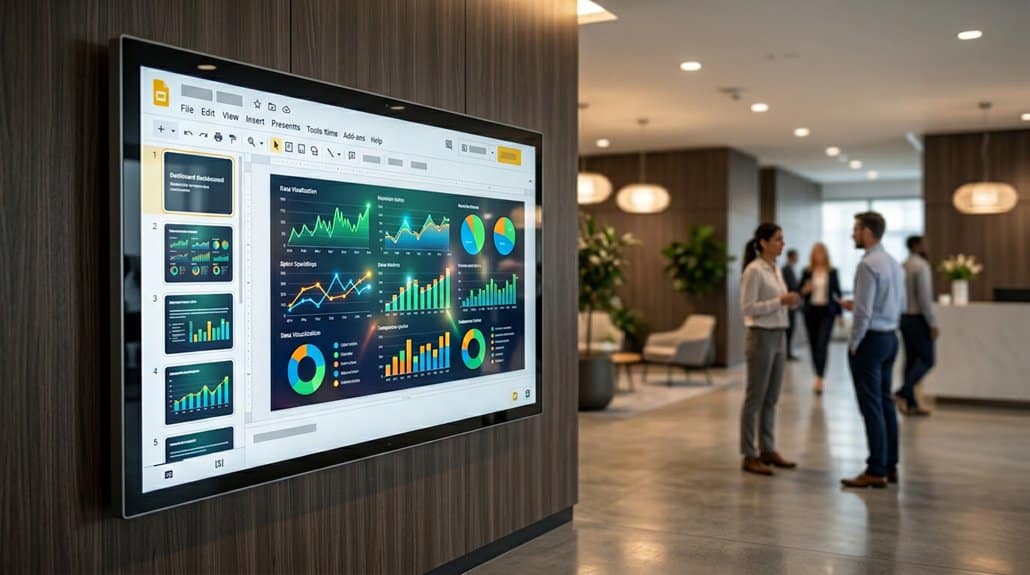
Although the integration of real-time metrics into Google Slides may seem straightforward, it greatly enhances the dynamism of digital signage. Leveraging real-time accuracy is essential for providing audiences with current information, enhancing both engagement and decision-making. By ensuring updates are immediately reflected, discrepancies are eliminated, and the data’s integrity is preserved. This not only supports performance visibility but also automatically reflects KPIs, providing valuable insights at a glance.
Here’s how you benefit:
- Real-Time Updates: Changes are instantly visible, reducing manual tracking.
- Enhanced Visibility: Instantly showcase KPIs for stakeholders, fostering transparency.
- Increased Accountability: Transparent metrics allow monitoring of progress and efficacy.
Utilizing Google Slides like this supports effective data management, minimizing human errors in presentations.
Troubleshoot Data Display Hurdles
To maintain the seamless integration of real-time metrics in your Google Slides digital signage, it’s important to address potential data display hurdles effectively. First, verify your Slides are set to “publish to the web” for uninterrupted data refresh. This guarantees that changes are immediately visible. A key factor is the internet speed; a strong connection minimizes lag. Next, don’t overlook caching issues. Over-aggressive caching can obstruct timely updates, requiring regular cache adjustments for clear data visibility. Additionally, monitor compatibility with media players to circumvent real-time update delays.
| Checkpoint | Action Required | Result |
|---|---|---|
| Publishing Settings | Publish to the Web | Instant updates |
| Internet Connection | Maintain high-speed connectivity | Reduced lag |
| Caching Settings | Adjust caching appropriately | Improved data visibility |
Enhance Engagement With Interactive Slides
Elevate your presentations by integrating interactive slides in Google Slides, which can greatly enhance audience engagement. With real-time data charts, you can monitor KPIs effectively. These interactive elements promote interactive learning and keep your audience invested. Here’s how you can boost engagement:
Boost engagement by integrating interactive slides and real-time data charts in Google Slides for dynamic presentations.
- Dynamic Content: Incorporate apps that feature polls or quizzes within your slides to elevate audience participation. They provide immediate feedback and make your presentation more engaging.
- Collaborative Input: Utilize Google Slides’ collaboration features. Let team members update metrics in real-time, guaranteeing every piece of data presented is fresh and diverse.
- Scheduled Auto-Advancements: Set slides to advance every 8-15 seconds, maintaining a steady flow of new information and keeping viewers continuously interacting with the material.
Use templates to confirm high readability with optimized visuals.
Frequently Asked Questions
What Are the Metrics for Digital Signage?
You’ll measure digital signage through engagement analytics, monitoring interaction rates like touch responses and QR code scans. Content performance metrics, including dwell time and impressions, assess display effectiveness, while conversion rates track actions taken post-viewing for optimization.
What Are the Disadvantages of Using Google Slides?
You’ll face user experience challenges like lacking centralized control and real-time updates. Design limitations include no video integration, potential animation issues, absence of display status tracking, and cumbersome portrait mode setup, complicating digital signage implementation.
What Is Better, Google Slides or Canva?
When comparing Google Slides vs. Canva, your choice depends on the user experience you’re after. Google Slides is ideal for collaboration and real-time metrics, while Canva excels in design assets and customization for creative projects.
What Is Real Time Information Digital Signage?
Real-time information digital signage lets you display dynamic content using real-time analytics. It updates automatically, ensuring viewers always have the latest data like metrics and schedules. It enhances engagement by providing timely, relevant information without manual updates.
Conclusion
You’ve now mastered using Google Slides for real-time digital signage, but isn’t it ironic that despite the world of technology, your biggest hurdle might still be that one stubbornly slow Wi-Fi connection? While integrating Airtame and refining your slide design, remember that the real power lies in engagement, not just data. By tackling these ironies head-on, you’ll craft displays that efficiently convey real-time metrics and ironically, make your audience connect more in this digital age.