
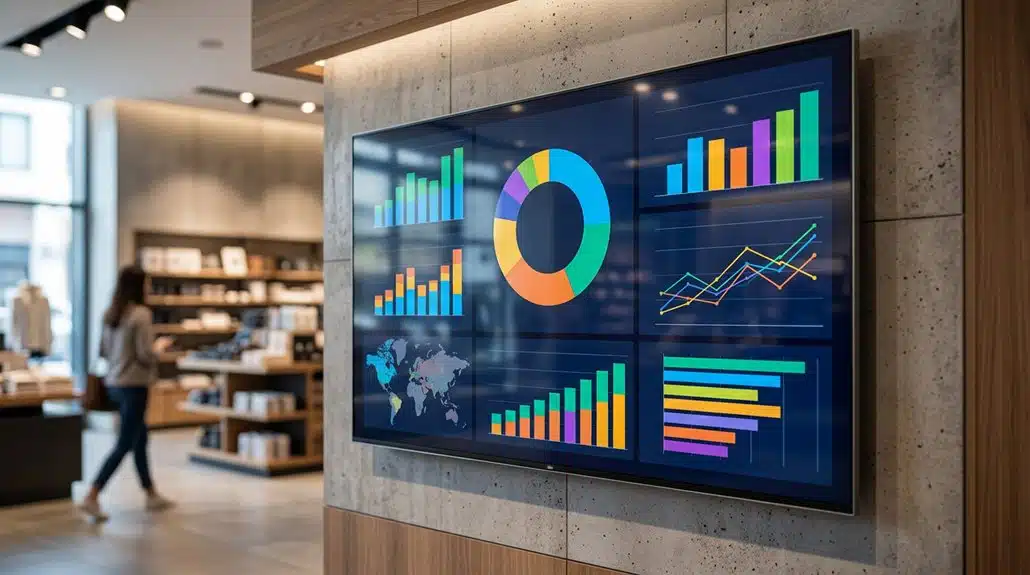
Adding Power BI to digital signage displays turns them into dynamic data tools, offering real-time KPI insights and engaging visual storytelling. You’ll streamline decision-making, reduce manual errors, and boost productivity with seamlessly updated content. Robust security features guarantee data integrity, while fostering a collaborative environment that drives accountability. The integration promises an impressive 8.5× investment payback and significant labor cost reductions. Discover how these transformations can benefit your organization’s data-driven culture and performance.
Key Takeaways
- Enhances data interaction through dynamic, real-time visualizations on digital signage displays.
- Provides automatic updates to ensure the most current information is always visible.
- Facilitates informed decision-making with real-time KPI insights directly displayed.
- Supports seamless integration of various data sources for comprehensive dashboards.
- Strengthens security with user authentication and data protection measures.
Transform Static Screens Into Dynamic Data Tools
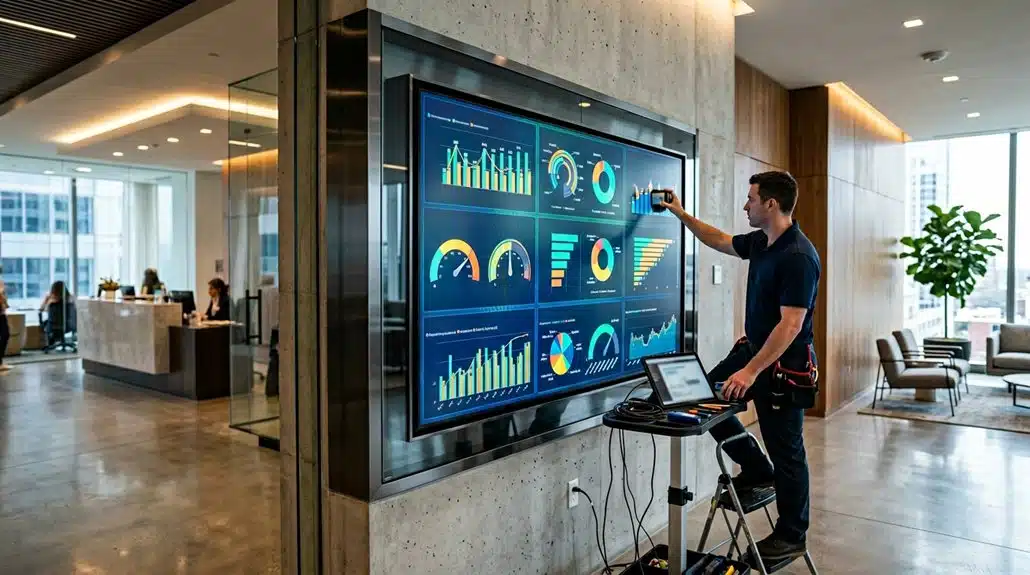
Transform your static screens into dynamic data tools by leveraging the power of Power BI in digital signage. This integration allows for robust data interaction, enabling you to manipulate figures directly on touchscreen displays. Display customization is streamlined through Power BI’s drag-and-drop interface, allowing you to design optimized, visually engaging dashboards effortlessly. By incorporating real-time updates, you enhance user engagement, ensuring the content is always pertinent and compelling. Analytics integration provides continuous insights across multiple data sources, unifying them into single, coherent displays. Utilizing advanced visualization techniques, complex data translates seamlessly into user-friendly formats, making it easier to grasp at a glance. Power BI equips you with the tools to transform traditional displays into interactive, data-driven decision aids.
Streamline Decisions With Live KPIS
With Power BI integrated into your digital signage, you’re equipped to leverage real-time KPI insights for enhanced decision-making. By presenting live operational metrics like throughput and service levels, these screens guarantee your team remains aware and responsive to ongoing dynamics. Automated updates reduce manual errors and allow personnel to consistently access the most current data, aligning efforts and driving productivity through quick, informed micro-decisions.
Real-Time Data Insights
Imagine a workplace where critical decisions are fueled by the latest data flashed directly onto digital screens. Integrating Power BI with digital signage guarantees data accuracy and leverages advanced visualization techniques, transforming complex datasets into easily digestible insights. Real-time data insights mean you’re no longer waiting on manual reports; instead, you get immediate access to updated KPIs, including sales performance and production efficiency. This approach reduces the delay in information dissemination, keeping your team aligned with the most current metrics. With instantaneous visibility, micro-decisions can be executed swiftly, boosting productivity by 5-6%. The continuous data refresh capability provided by Power BI guarantees everyone can access timely updates, fostering a proactive culture of data-driven decision-making right on the workspace screen.
Enhanced Decision Making
When equipped with live KPIs from Power BI, digital signage becomes a formidable tool for enhancing decision-making in any organization. This integration cultivates a data-driven culture and empowers teams to make informed decisions, streamlining the entire process. You’ll see a tangible impact:
- Increased Productivity: Real-time data leads to a 5-6% rise in productivity and performance as it enables rapid responses and micro-decisions.
- Unified Communication: Digital signage displays the same information across departments, reducing “version wars” and promoting alignment.
- Proactive Decision-Making: Interactive dashboards highlight vital KPIs, encouraging quick adaptation to emerging trends or issues.
- Improved Collaboration: Immediate access to relevant performance data fosters better teamwork, enhancing overall decision-making effectiveness.
Adopting this approach guarantees your organization remains agile and well-informed.
How Interactive Displays Enhance Employee Engagement

You’ll find that interactive Power BI displays greatly enhance team collaboration through real-time information sharing. With employees actively engaging with performance metrics and applying data filters, there’s a marked improvement in their ability to collaborate effectively during meetings. In fact, organizations using such technology often see a productivity boost of 5-6%, underscoring the impact of timely data accessibility on workplace engagement.
Boosting Team Collaboration
Integrating Power BI with interactive displays revolutionizes team collaboration by enabling real-time access to essential data, which can markedly enhance employee engagement. This integration empowers team dynamics as collaborative tools foster a transparent and accountable culture. You’ll witness a transformation in how meetings inspire open dialogue and informed decision-making. Here’s why it matters:
- Real-time KPIs guarantee everyone’s informed, promoting team transparency and collective responsibility.
- Touch-enabled features let you interact with data, making brainstorming sessions dynamic and personalized.
- Reduced information overload and email fatigue allows teams to focus on meaningful discussions rather than sifting through irrelevant data.
- Enhanced productivity, with studies showing a 5-6% boost, is directly linked to improved morale and collaboration.
Real-Time Information Sharing
As the benefits of team collaboration materialize through interactive technology, another significant advantage comes from real-time information sharing facilitated by digital signage. By offering instant updates on KPIs and operational metrics, these displays enhance employee engagement, promoting a transparent and accountable work culture. With Power BI integration, data accuracy is maintained through automated updates, minimizing errors and delays. Interactive displays empower you to filter and access the most relevant insights, leading to informed decision-making. Studies corroborate that real-time dashboards can boost productivity by 5-6% as quick micro-decisions are supported by enhanced data visibility. Moreover, showcasing achievements and critical messages in communal areas fosters employee feedback, elevates morale, and enhances collaboration by nurturing a shared sense of belonging.
Boosting Productivity With Accessible Data Everywhere
Harness the power of real-time data by displaying Power BI dashboards on digital signage, which can immediately boost productivity by an estimated 5-6%. With enhanced data accessibility, you empower your team to access crucial performance metrics swiftly, facilitating rapid decision-making. By integrating Power BI, you streamline the flow of information and mitigate the need for frequent logins. Here’s how it transforms productivity:
Boost productivity by 5-6% with real-time data on Power BI digital displays, enabling swift decision-making.
- Instant Access: Real-time KPIs keep everyone informed, eliminating delays.
- Automated Updates: Focus shifts to data analysis, not entry, enhancing operational efficiency.
- Tailored Dashboards: Localized content meets diverse needs, boosting relevance.
- Seamless Communication: Employees remain aligned with objectives, uplifting morale.
Harnessing Power BI in digital displays guarantees your team is always data-informed, driving productivity.
Improving Collaboration With Real-Time Data Sharing

When digital signage displays real-time data through Power BI, it fundamentally transforms team collaboration by streamlining how critical information is shared. By fostering a data driven culture, Power BI allows for interactive collaboration and visual engagement. You can easily engage in spontaneous brainstorming, leading to faster decisions without cumbersome emails. The real-time feedback available through displays enhances performance transparency, keeping everyone updated on KPIs and organizational metrics, fostering accountability.
These displays improve data accessibility, facilitating informed teamwork and micro-decisions. Team members stay aligned with strategic objectives, as the integration of diverse data sources paints a thorough picture. This seamless visualization supports collaborative efforts, allowing cross-departmental teams to engage with up-to-date project information, ensuring decisions are both timely and insightful.
Step-By-Step Guide to Elevate Digital Signage With Power BI
To elevate your digital signage using Power BI, begin by integrating the platform with your existing systems, guaranteeing seamless data flow and real-time updates. This data integration allows critical business information to be displayed effectively on digital signage, maximizing its impact.
- Enhance Visibility: By integrating real-time KPIs and operational metrics, you enhance visibility, keeping everyone informed and motivated.
- Interactive Features: Leverage touchscreens with a user interface that enables data manipulation for deeper insights, encouraging active engagement.
- Streamline Content Management: Automated updates guarantee your content stays relevant, minimizing manual effort and reducing human error risks.
- Boost Collaboration: Use interactive dashboards during meetings to drive better decision-making and strengthen collaboration.
Tailor Dashboards to Meet Your Business Needs
Tailoring dashboards with Power BI allows you to customize data visualizations that align with your departmental objectives by using a drag-and-drop interface, making it easier to highlight critical metrics and trends. Integrate data from sources like Excel or Google Analytics to guarantee that your dashboards provide the most relevant information for real-time decision-making. With features like data filtering and segmentation, you can present specific views for different teams, ensuring that essential information is easily accessible and driving informed business decisions.
Customize Data Visualization
Power BI offers a multitude of options for customizing data visualizations, allowing businesses to create dashboards that precisely align with their unique goals and KPIs. By leveraging Power BI’s user-friendly drag-and-drop interface, you can seamlessly adapt your visualization strategies to suit your data preferences. This guarantees each chart and graph is perfectly aligned with your company’s objectives. Dashboards with real-time updates allow your team to make data-driven decisions in the moment. Here’s how customization empowers you:
- Targeted Focus: Customize dashboards to emphasize essential KPIs for each department.
- Enhanced Engagement: Foster a data-centric culture with visuals tailored to your audience.
- Collaborative Insights: Integrate diverse data sources for a thorough view.
- Adaptive Strategy: Regularly update visualizations to reflect current business objectives.
Focus on Key Metrics
Harnessing the ability to customize data visualizations seamlessly paves the way for organizations to focus on key metrics with precision. With Power BI, you can tailor dashboards to emphasize metric alignment, ensuring that essential data such as sales performance, operational efficiency, and customer satisfaction are prioritized. By highlighting critical KPIs, like throughput rates or booking quotas, Power BI facilitates precise data prioritization for informed decision-making. The integration of real-time metrics into digital signage transforms complex data into actionable insights that are accessible across departments, fostering a shared understanding of business goals. Utilizing Power BI’s drag-and-drop features, you can create customized dashboards that continuously display pertinent information, improving employee engagement and accountability, ultimately driving a 5-6% boost in productivity.
Understanding Security Features for Protected Displays
While digital signage presents valuable opportunities for sharing dynamic content, it’s essential to understand the security features necessary to protect sensitive information. Leveraging Power BI guarantees data protection through user authentication, secure embedding, and governance practices. To safeguard your digital signage, consider these critical measures:
- User Authentication: Integrate screenfeed content with player-level authentication to limit report access to authorized users only.
- Secure Embedding: Utilize Microsoft Entra for embedding, effectively restricting data exposure when displaying reports.
- Governance Practices: Implement data loss prevention (DLP) and row-level security (RLS) within Power BI for robust compliance.
- Avoid “Publish to Web”: Confirm sensitive content isn’t compromised by adhering to security best practices.
These strategies help protect your digital signage from unauthorized access and data breaches.
How Visual Storytelling in Power BI Drives Success
Visual storytelling transforms static data into impactful narratives, bridging the gap between raw numbers and actionable insights. With Power BI, complex datasets become intuitive visuals, enabling swift trend identification through visual analytics. Interactive dashboards provide real-time updates, essential for quick adaptation to business shifts. By embedding narrative elements such as contextual data and comparisons, you align organizational objectives with on-screen information, fostering a unified team perspective. These visual data narratives not only captivate viewers but also enhance meeting dynamics through dynamic presentations. Engaged audiences and enhanced communication lead to up to a 6% productivity increase.
Here’s how it plays out:
| Feature | Benefit |
|---|---|
| Intuitive Visuals | Quick trend identification |
| Interactive Dashboards | Real-time adaptation to changes |
| Narrative Elements | Alignment of objectives and information |
| Engaging Visuals | Improved audience engagement and productivity |
Measuring the ROI of Power BI-Powered Digital Signage
How do you quantify the real impact of integrating Power BI with digital signage? Consider these data-driven insights:
- ROI Metrics & Investment Analysis: Calculate the annual ROI, which could reach $903,300 with a cost outlay of approximately $106,700. This investment sees an 8.5× payback.
- Cost Savings & Efficiency Gains: Achieve a productivity lift of 5-6% and a 2-4% reduction in labor costs, driving financial impact and better decision-making.
- Performance Tracking & Revenue Protection: Utilize real-time dashboards to guarantee SLA adherence, protecting revenue and enhancing profitability.
- Error Reduction & Team Engagement: Visual data accessibility boosts accountability, reducing errors and attrition, and elevating performance, leading to a sustainable competitive edge.
Frequently Asked Questions
What Is the Main Benefit of Using Power BI?
You gain real-time data visualization, boosting user engagement in decision-making processes. With Power BI, visualizing KPIs becomes intuitive, ensuring stakeholders easily grasp the data. This leads to informed micro-decisions and heightens overall performance by engaging with current analytics interactively.
Is Power BI Still in Demand in 2026 and After 2026?
Yes, you’ll see Power BI’s demand persist in 2026 and beyond. Power BI trends show it’s a key player, driven by future demand for data-driven insights, enhanced AI integration, and its role in remote work environments.
What Are the Disadvantages of Using Power BI?
You might face integration challenges with legacy systems and non-standard data sources. Data privacy concerns can also arise, especially handling sensitive information. High costs, data refresh limitations, and performance issues with large datasets add to the disadvantages.
Is Power BI Useful for Digital Marketing?
Yes, Power BI is invaluable for digital marketing. Did you know that businesses utilizing advanced data visualization tools see a 20% increase in marketing ROI? It enhances your marketing analytics, helping you visualize and optimize campaign performance effectively.
Conclusion
Sure, your digital signage might look great with its static images and flashy colors, but let’s be honest—without Power BI, it’s like serving a gourmet meal on a paper plate. You need smart, dynamic, and interactive displays transforming your well-intentioned screen into an actual data powerhouse. While you’re pondering your stodgy screens, know there’s measurable ROI waiting. So, don’t become the last dinosaur in your industry—embrace Power BI and evolve into the savvy data-driven dynamo your business deserves.