

Unleash the power of Prezi on digital signage to elevate your team’s visibility and engagement. With its dynamic, non-linear presentations, Prezi captures attention and encourages collaboration with real-time editing and updates. Enhance audience engagement by up to 32% with interactive charts and tools, while boosting information recall by up to 65%. Optimize your presentations for digital screens, ensuring seamless integration and crisp visuals. Stay ahead with trend-aware features and discover even more transformative potential.
Key Takeaways
- Prezi’s dynamic presentations boost audience engagement, enhancing team visibility on digital signage.
- Real-time updates ensure team content remains relevant and visible on screens.
- Collaborative features in Prezi foster team unity and improve visibility across remote work environments.
- Interactive tools like polls make team communication engaging, transforming digital signage into collaborative discussions.
- AI-driven design optimizes visual appeal, maximizing the impact of team presentations on digital screens.
Why Choose Prezi for Team Visibility?
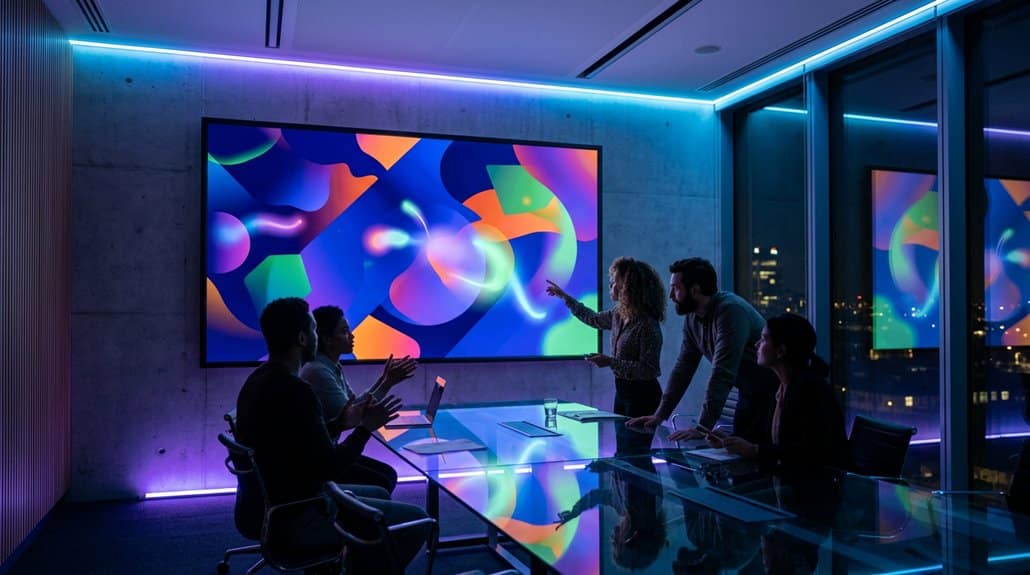
Although there are many tools available, Prezi stands out for boosting team visibility with its dynamic, non-linear presentation capabilities that captivate audiences and facilitate real-time updates. Prezi’s advantages lie in its presentation flexibility and visual appeal, allowing teams to craft compelling narratives that engage and inform. The platform encourages team collaboration by enabling multiple users to dynamically alter content, thereby benefiting from diverse perspectives.
Its engagement strategies, like Prezi Video, help presenters connect personally with their audience, enhancing retention. With real-time feedback capabilities, you’re able to optimize content on the fly, guaranteeing it resonates. Additionally, Prezi’s seamless content updates allow for swift adjustments. As trends shift toward remote work, utilizing Prezi across devices guarantees you maintain clear audience connections anytime, anywhere.
Setting Up Prezi for Digital Screens
To effectively set up Prezi for digital screens, start by configuring display settings to guarantee your content looks crisp and grabs attention. With over 80% of organizations embracing digital signage, integrating Prezi with these systems has never been more essential for seamless scheduling and updates. By optimizing your presentation content with Prezi’s AI design suggestions, you can create visually engaging and relevant messages that resonate with viewers.
Configuring Display Settings
Immerse yourself in the domain of digital signage with Prezi’s intuitive display configuration options, guaranteeing your presentations capture and hold the audience’s attention. By adjusting the display resolution and confirming screen compatibility, you’ll achieve peak display quality tailored to your digital screens. Explore Prezi’s ‘Present’ mode; it promises smooth shifts and animations, essential for maintaining viewer engagement. Leverage full-screen configurations to eliminate distractions and maximize content visibility, creating a seamless visual experience. With an automatic playback feature, your presentations loop continuously, keeping your audience engaged. Regular testing on chosen screens allows adjustments for font size and image resolution, enhancing readability from varying distances. This data-driven approach ensures your presentations are trend-aware and impactful.
Integrating Prezi With Signage
Now that you’re well-versed in configuring display settings, it’s time to bring your Prezi presentations to life by integrating them with digital signage. Leveraging Prezi integration can transform how your team shares information on large displays. To guarantee signage compatibility, confirm that your digital signs support web-based content and a reliable browser or app for Prezi presentations. Utilize Prezi’s embedded sharing feature for seamless access and dynamic updates straight to your screens. With non-linear storytelling, maximize screen usage by displaying split content effectively. Scheduling various presentations throughout the day boosts viewer engagement and visibility.
“`markdown
| Feature | Benefit |
|---|---|
| Web-based content support | Real-time updates |
| Embedded sharing capability | Dynamic content display |
| Non-linear presentation | Engaging visual storytelling |
| Scheduled presentations | Enhanced visibility |
| Reliable internet connection | Seamless interactivity |
“`
Confirm your signage system has a stable internet connection to exploit Prezi’s cloud-driven features.
Optimizing Presentation Content
Elevate your digital signage strategy by optimizing your Prezi presentation content for digital screens. Prezi’s non-linear format aids in engaging viewers through a dynamic visual hierarchy, critical for guaranteeing essential information stands out. Smart content curation is key: choose impactful elements that amplify your message efficiently.
- Engage with Multimedia: Integrate videos and images to enrich the presentation, boosting viewer engagement.
- Collaborative Input: Harness Prezi’s collaborative features to guarantee diverse team insights contribute to a cohesive narrative.
- Prezi AI for Design: Utilize Prezi AI for intelligent design suggestions, optimizing your content for larger displays to maintain clarity.
- Visualize Data Effectively: Use Prezi’s tools for presenting complex data through interactive charts and graphics, enhancing information retention.
Keep your audience’s attention with seamless storytelling and innovative design choices.
Amplifying Engagement Using Prezi’s Visuals
With Prezi’s dynamic charts and images, you’re adding a visual punch to your digital signage that makes data easier to grasp, boosting audience engagement by up to 32%. The non-linear flow and interactive tools like polling and Q&A transform static updates into lively conversations, fostering stronger connections with your audience. Plus, its real-time collaboration guarantees content stays fresh and tailored, tapping into the latest trend in personalized communication.
Dynamic Visual Storytelling
While digital signage traditionally struggles to captivate audiences, integrating Prezi’s dynamic visual storytelling capabilities flips the script, turning passive viewers into engaged participants. By using Prezi, you can transform complex information into digestible, visually appealing narratives. This boosts audience engagement, a critical component in today’s fast-paced digital environment. Prezi’s platform is not only interactive but also leverages stunning visuals to create compelling stories that stick with your audience.
- Prezi’s non-linear format simplifies intricate data presentation.
- Multimedia elements like images and videos enhance retention by up to 65%.
- Collaboration tools invite multiple perspectives, keeping content fresh and relevant.
- The platform’s interactive features yield a 50% increase in audience connection.
Embrace Prezi for dynamic storytelling that truly resonates.
Enhancing Audience Engagement
Many digital signage solutions claim to engage viewers, but Prezi truly stands out by turning static displays into interactive visual journeys that resonate. By leveraging Prezi’s dynamic non-linear presentation format, you transform content navigation into a visual interaction, enchanting your audience. Prezi Video integration allows you to appear alongside your visuals, creating a more personalized and interactive experience that holds viewers’ attention.
Collaboration with team members through Prezi guarantees diverse viewpoints contribute to your displays, enriching the audience’s experience. The focus on visual storytelling over text plays a critical role, as studies show effective visualization boosts recall by up to 65%. Using Prezi’s templates and engaging tools, you can craft visually appealing content that’s not only informative but also memorable and widely engaging.
Interactive Presentation Tools
Building on Prezi’s ability to enchant and captivate, interactive presentation tools offer a way to amplify viewer engagement even further. Embrace Prezi’s unique features to transform user experiences through innovative presentation strategies. Engage audiences with non-linear navigation and dynamic visuals that break away from traditional slides. These interactive tools not only elevate your display innovations but also revolutionize your approach to digital signage.
- Engagement Techniques: Utilize visual creativity to keep viewers intrigued.
- Collaboration Methods: Foster teamwork dynamics by co-creating content with diverse perspectives.
- Audience Insights: Leverage data-driven analysis to refine content and resonate with specific demographics.
- Multimedia Elements: Enhance presentations with videos and animations, ensuring messages are both memorable and impactful.
Integrating these methods betters your message delivery, making content more appealing and effective.
Keeping Teams Updated in Real-Time
With Prezi’s seamless integration into digital signage, keeping your team updated in real-time becomes not only feasible but efficient. Real-time notifications guarantee that important updates reach your team instantly, fostering an agile communication environment. The integration allows you to capitalize on real-time editing and collaboration, letting team members contribute and adjust content swiftly. This way, your digital signage reflects the most current information, driving accurate team collaboration.
Moreover, Prezi’s capabilities facilitate dynamic presentations during high-engagement periods, enhancing visibility and guaranteeing timely information dissemination. By leveraging visual storytelling, your team stands to benefit from up to a 65% increase in information recall. It’s a trend-aware solution, positioning your team to swiftly adapt and remain connected in today’s fast-paced work landscape.
Boost Teamwork With Prezi’s Interactive Features

Release your team’s potential by leveraging Prezi’s interactive features, designed to boost collaboration and participation greatly. With real-time collaborative brainstorming, team members can edit simultaneously, fostering seamless teamwork. Prezi’s dynamic designs guarantee your presentations captivate, sparking ongoing delight and improving information retention.
- Flexible Presentation Structure: Utilize Prezi’s non-linear format for natural idea flows and vibrant group discussions.
- Interactive Virtual Meetings: Integrate Prezi Video to merge slides with speakers, boosting storytelling and team visibility.
- Data-Driven Engagement: Harness Prezi’s analytics to optimize presentations based on audience feedback and interaction.
- Visually Engaging Content: Create non-linear narratives that captivate audiences, guaranteeing message retention and boosting team synergy.
Stay ahead of trends with Prezi’s robust tools, transforming teamwork from mundane to motivating.
What’s the Real Impact of Prezi on Our Team?
In the constantly evolving landscape of team dynamics, the adoption of Prezi for digital signage emerges as a game-changer in enhancing team visibility and engagement. The prezi impact is undeniable; it transforms static displays into dynamic, visually attractive presentations that captivate your team’s attention. User data indicates up to a 40% boost in information recall, proving that integrating Prezi with digital signage fosters immediate communication and efficient information sharing. This innovation doesn’t just make presentations more memorable but also increases audience engagement, making complex ideas more accessible. Furthermore, Prezi facilitates improved collaboration and shared contributions, reinforcing team unity. Visual storytelling on digital signage guarantees a lasting impression, resonating with diverse members and stakeholders, fundamentally altering team dynamics.
Prezi Success in a Remote Work Environment

As remote work continues to redefine professional landscapes, the integration of Prezi has become a strategic asset for enhancing team communication. Prezi’s dynamic format is perfect for remote collaboration, making everyone’s contributions more visible. By using Prezi Video, you can present ideas collaboratively, ensuring a personal touch that enriches visual communication.
Here’s why incorporating Prezi can elevate your remote team’s success:
- Interactive Presentations: Boost engagement with seamless shifts between team members.
- Inclusive Content Creation: Co-create visual material to spotlight all team voices.
- Enhanced Clarity: Maintain effective communication through clear messaging and cohesive narratives.
- Increased Visibility: Highlight contributions across various projects and foster team connectivity.
Leveraging Prezi in your remote environment can truly make your team’s presence felt.
Frequently Asked Questions
What Are the Disadvantages of Prezi?
You’ve got to watch out for feature limitations causing user experience issues. Non-linear formats can confuse, connectivity dependence can frustrate, and costly subscriptions deter small businesses. Overusing animations? That’s just asking for audience distraction.
What Are the Effects of Digital Signage?
Think of digital signage as Pandora’s box for marketing success. It boosts engagement metrics, ensuring your audience’s retention skyrockets like in a Hitchcock thriller. You’ll see dynamic content grabbing attention, driving action, and making communication unforgettable.
What Is the Effective Use of Prezi?
You’re leveraging Prezi’s dynamic presentation strategies to captivate audiences effectively. It boosts engagement by integrating interactive storytelling, fostering real-time collaboration, and utilizing AI-driven design for slick, visually appealing content that resonates with viewers and retains their attention.
Can Prezi Pan and Zoom?
Imagine sailing through a sea of information—yes, with Prezi’s pan and zoom features, you can! It transforms presentation dynamics into a visually stimulating journey, making waves in trend-setting engagement and elevating your communication game.
Conclusion
Imagine what could happen if your team’s communication and engagement were revolutionized. With Prezi, you’re not just displaying information; you’re creating dynamic interactions. As digital trends point towards immersive experiences, don’t get left behind. Your team’s visibility hinges on staying updated in real-time, fostering collaboration that feels intuitive. Will Prezi be the game-changer your remote work environment needs, elevating productivity and connection? Only you can unleash its true potential—are you ready to lead this transformation?