

Integrating Padlet into your digital signage enhances collaboration by enabling real-time updates and interactive audience engagement. You can transform static displays into vibrant, interactive platforms, allowing users to post comments, vote, and contribute multimedia content. Padlet’s customizable layouts and seamless integration abilities create a dynamic communication channel, gathering instant feedback while maintaining visual appeal. By leveraging these capabilities, you’ll access a unique, participatory experience that expands the potential of your digital signage dynamic further.
Key Takeaways
- Padlet enables real-time content updates, fostering dynamic collaboration on digital signage.
- It transforms static displays into interactive platforms, encouraging user participation and engagement.
- Various media support, including text, images, and videos, enhances collaborative content sharing.
- Customizable layouts maintain visual appeal and accommodate different collaborative formats.
- Interactive features like comments and voting facilitate audience involvement and feedback.
What Is Padlet’s Role in Digital Signage?
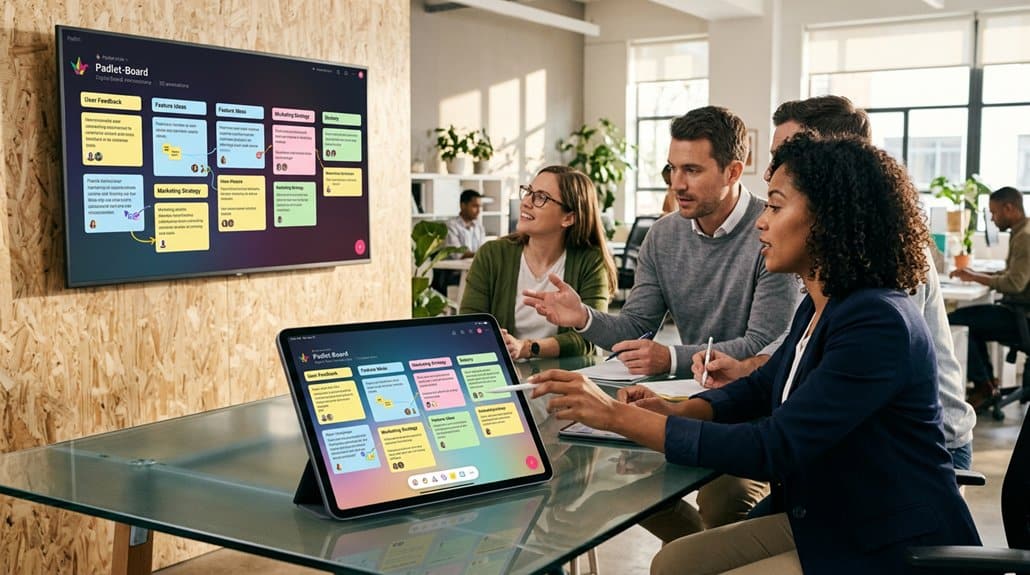
In the area of digital signage, Padlet emerges as a dynamic tool for enhancing collaboration and engagement. By integrating Padlet, you gain real-time updates and collaboration benefits without constant manual input. This tech-savvy approach allows users to post text, images, and videos directly, transforming static screens into interactive platforms. Among Padlet advantages is its interactivity—viewers can comment and react, turning digital signs into two-way communication channels that encourage participatory environments. The customizable layouts offer another layer of digital signage benefits, accommodating various formats while maintaining visual appeal. This versatility makes it an effective tool across institutional settings, enhancing communication and collaboration. By doing so, you’re not just displaying information; you’re fostering a connected and engaged audience.
Real-World Examples of Padlet Enhancing Digital Signage
Having established Padlet’s role as a tool for promoting interactive digital signage, let’s explore how this integration plays out in real-world scenarios. Picture a university campus where Padlet transforms digital displays into hubs for collaborative announcements. Imagine students contributing event details, instantly updating viewers.
| Scenario | Benefit | Outcome |
|---|---|---|
| University | Collaborative announcements | Dynamic event updates |
| Corporate Office | Audience engagement | Employee input on polls |
| Retail Store | Real-time feedback gathering | Adjust displays quickly |
| Conference | Multimedia content showcasing | Richer viewer experience |
| Non-Profit Org. | Community-driven content edits | Enhanced information flow |
Whether engaging employees with real-time feedback or enthralling retail customers through interactive content, Padlet guarantees digital signage remains fresh and engaging.
Key Features That Make Padlet Interactive

When it comes to making digital signage truly interactive and engaging, Padlet stands out with its suite of versatile features. You can update content in real-time, ensuring your signage stays dynamic and relevant. By supporting a mix of media types—including text, images, and videos—you can create interactive content that resonates with diverse audiences. Customizable visibility settings let you manage who engages with your digital signage, crafting tailored engagement strategies to foster privacy while encouraging collaboration. Interactive features like comments, reactions, and voting invite direct audience participation, sparking discussions and joint decision-making. Additionally, Padlet’s integration capabilities allow seamless incorporation of external content, elevating the interactivity and relevance of your displays across varying environments.
Making Padlet Part of Your Digital Signage Experience
Elevate your digital signage by integrating Padlet, transforming static displays into two-way platforms rich with interactivity and collaboration. As institutions harness Padlet integration, they reveal real-time engagement by showcasing live contributions. Interactive displays facilitate a community-centric environment that thrives on participation and shared ideas.
Here’s how Padlet can revolutionize your digital signage experience:
- Real-Time Updates: Seamlessly capture faculty and student input, instantly reflecting ongoing projects, announcements, or activities.
- Enhanced Engagement: The visual appeal of Padlet boards draws in viewers, making information more accessible and engaging.
- Anonymity Encourages Honesty: Allow for anonymous contributions, fostering genuine feedback without the pressure of public speaking.
Through Padlet, digital signage becomes a dynamic tool, enhancing communication and community within educational settings.
Troubleshooting and FAQs for Padlet Integration

Integrating Padlet into your digital signage system can occasionally present challenges, but understanding the root causes of common issues can pave the way to smooth functionality. To begin with, confirm your access settings are correct, ensuring visibility and permissions align for all users. Embedding issues often stem from compatibility; check that your device supports Padlet’s embedding features and that you’re using the correct URL format. If posts aren’t appearing as expected, simply refreshing the Padlet page or clearing your browser cache might solve display problems. Real-time collaboration glitches often relate to unstable internet connections or outdated browsers. For further assistance, the Padlet Help Center is an excellent resource for FAQs and detailed support, helping you troubleshoot diverse integration scenarios.
Frequently Asked Questions
Is Padlet a Collaboration Tool?
Yes, Padlet is a collaboration tool. It offers features like real-time posting, privacy settings, and integration with platforms. You can compare it to alternatives for diverse needs, but its interactive elements make collaboration seamless and effective.
What Are the Benefits of Using Padlet?
Using Padlet boosts engagement by 25%, letting you implement dynamic engagement strategies. It excels in content organization with a user-friendly interface, enabling real-time collaboration and visually appealing presentations that streamline feedback and maximize creative input.
How to Make a Collaborative Padlet?
To make a collaborative Padlet, choose suitable Padlet templates and adjust privacy settings for participant access. Encourage interactive engagement by using diverse media for collaborative brainstorming. Utilize comments and reactions to foster an engaging feedback loop.
Can Padlet Be Used for Digital Curation?
Absolutely, Padlet’s like the Swiss Army knife of interactive curation. You can harness its power for digital storytelling, transforming how you curate content visually, enabling seamless collaboration and real-time updates to create ever-evolving digital narratives.
Conclusion
You’ve explored how Padlet transforms digital signage into interactive hubs, and it’s clear that it’s a game-changer for collaboration. Real-world examples highlight its effectiveness, but questions might arise during integration. Troubleshooting guarantees a seamless experience, and Padlet’s key features assure engagement. Ultimately, the theory holds: digital signage becomes truly valuable when it’s interactive and collaborative. By incorporating Padlet, you’re not just displaying information—you’re fostering a dynamic exchange and reshaping communication in today’s digital age.