
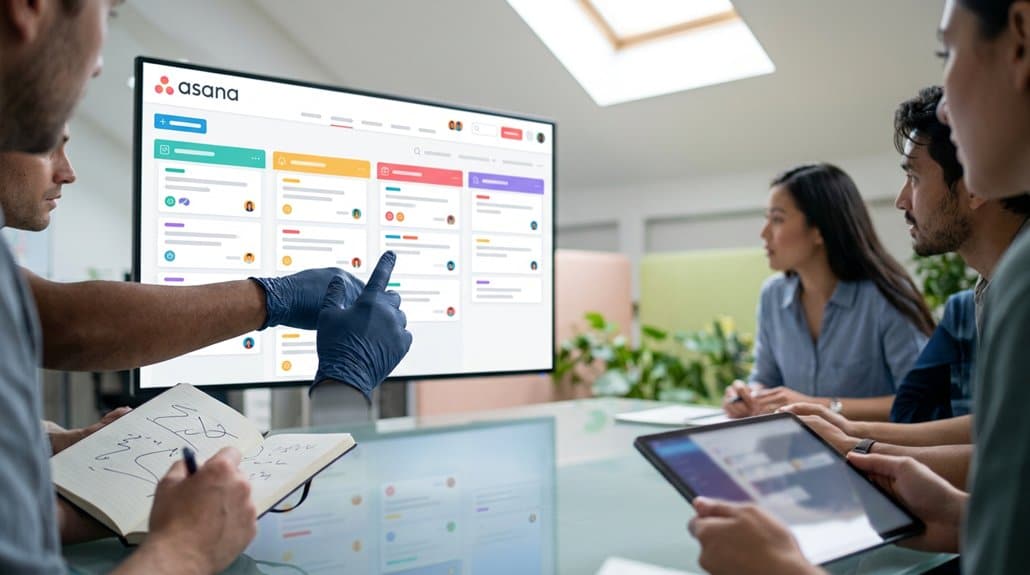
By integrating Asana with digital signage, you boost collaboration through real-time updates and increased visibility of tasks and projects. This setup enhances team accountability and guarantees that everyone is aligned with project goals through transparent communication and instant task status changes. Customizing displays with brand elements and utilizing tools like Canva solidifies brand consistency. Utilizing these strategies can considerably enhance your team’s productivity and collaboration, leading to more cohesive project workflows and aligned teamwork. Continue to explore these benefits.
Key Takeaways
- Real-time task updates on digital signage enhance visibility and team collaboration.
- Digital screens display task assignments and deadlines, promoting accountability.
- Seamlessly showcase project updates to streamline communication and reduce information delays.
- Customizable displays align with branding, ensuring consistent visual communication.
- Immediate feedback and file sharing improve project workflow and efficiency.
Integrating Asana With Digital Signage: a Step-By-Step Guide
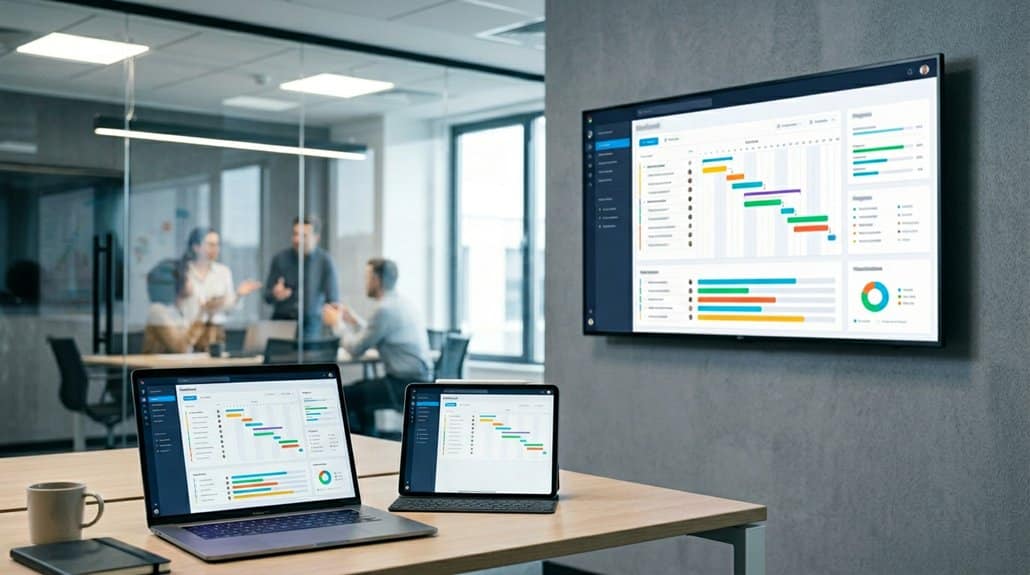
When integrating Asana with digital signage systems like Yodeck, it’s essential to confirm your workflow translates seamlessly to visual displays. Begin by enabling the Asana integration, adding it from the app gallery, and logging in with your credentials. Setting a refresh interval ensures your digital signage reflects real-time Asana updates, giving immediate visibility to project statuses. To focus your displays, paste the specific board URL from Asana, showcasing selected projects or tasks. This makes critical information readily accessible. Don’t forget a fallback image to maintain a polished look if your Asana content doesn’t load. This strategic setup not only enhances visual appeal but also promotes effective team collaboration by broadcasting task lists and project updates on screens for everyone to see.
Boost Team Visibility and Accountability
After integrating Asana with digital signage systems, the focus shifts to leveraging this setup to boost team visibility and accountability. Real-time task updates display on screens, enhancing team dynamics by ensuring everyone knows project statuses. It creates a collaborative environment where tasks’ transparency allows members to collectively monitor progress and quickly spot bottlenecks. By showing task assignments and due dates, team members feel accountable for their responsibilities. This visible framework reinforces dedication as achievements and milestones are showcased, personalized to match your branding. It motivates everyone to contribute effectively. Real-time notifications keep all members aligned with project goals, reducing miscommunication. Ultimately, integrating Asana with digital displays enhances a transparent culture, driving both individual responsibility and collective success.
Boosting Accountability and Streamlining Tasks With Real-Time Communication

Integrating Asana with digital signage creates a dynamic tool for boosting accountability and streamlining tasks through real-time communication. You’ll find that Asana’s real-time updates instantly reflect task status changes, meaning everyone can keep track of who’s responsible for what and when it’s due, enhancing accountability tracking methods. By showcasing task assignments and deadlines on digital screens, transparency becomes the norm, allowing teams to prioritize tasks effectively. This not only reduces the need for constant back-and-forth communication but also guarantees everyone has immediate access to the latest project information. Digital displays also share comments and feedback immediately, keeping all team members aligned with project objectives. Such visibility fosters a collaborative environment, minimizing miscommunication and reinforcing personal accountability for successful task completion.
How to Customize Asana Display for Your Brand
To effectively tailor Asana’s visual elements to your brand, start by customizing the task list appearance with specific color schemes and layouts that reflect your brand’s aesthetic. Integrating your logo and colors into the setup within Yodeck guarantees consistency across digital signage, enhancing user engagement with cohesive and visually appealing presentations. By doing so, you not only strengthen your brand’s identity but also foster deeper connections with your audience through visually engaging task updates.
Tailor Visual Elements
Brand continuity is essential when presenting your organization’s data, and customizing Asana’s display offers a seamless way to achieve this. With Asana, you can effortlessly incorporate visual branding into your task lists by aligning colors, fonts, and logos, crafting a cohesive and professional appearance. The ability to select customized designs, along with fallback images, guarantees your digital signage remains visually compelling even when specific data isn’t available. Leverage integration capabilities with platforms like Canva or Adobe to enhance these designs, creating polished visual presentations. Asana’s customizable dashboard empowers you to prioritize critical visual information aligned with your brand strategy, effectively communicating your mission and values while boosting employee engagement through engaging and consistent content.
Align With Brand Aesthetics
Envision your brand’s essence shining through every digital touchpoint; Asana makes it possible by letting you customize its task displays. Achieve brand cohesion by tailoring every aspect to fit your company’s identity. Maintaining visual consistency across digital signage enhances your corporate presence. Here’s how:
- Color, Fonts, and Imagery: Select elements that align with your brand’s identity, ensuring cohesive and recognizable signage. Consistent aesthetics boost brand awareness.
- Logo Integration: Incorporate your company’s logo within Asana’s displays for reinforced recognition and a unified corporate image.
- Fallback Images: Utilize fallback images within Asana for visual consistency during temporary content gaps, preserving brand aesthetics seamlessly.
These customizations make Asana a powerful extension of your brand, enhancing cohesion and ensuring every touchpoint reflects your unique style.
Enhance User Engagement
With your brand aesthetics firmly aligned, it’s time to explore how these visual elements can actively boost user engagement. Tailoring Asana’s interface with your brand’s colors and logos creates consistent, visually appealing task displays. This visual storytelling not only enhances organizational recognition but also captivates your audience. User feedback is pivotal in refining these elements; understanding how users interact with your displays can guide adjustments to boost clarity and engagement.
Utilize customization options like font tweaks and different display formats, such as list or board views, to tailor the user experience. Incorporate user-defined Fallback Images to guarantee that your branding remains visible, even when task information is sparse. These strategies guarantee your viewers engage more deeply with the information presented.
Leverage Real-Time Updates for Enhanced Team Collaboration
Harness the power of real-time updates in Asana to propel team collaboration to new heights. These updates guarantee that task visibility and team synchronization are always at their peak, fundamentally enhancing how your team works together. Here’s how:
- Enhance Task Visibility: Real-time updates guarantee everyone sees the most current task information, displayed on digital signage for easy access and updates.
- Guarantee Team Synchronization: By aligning each team member through Asana’s immediate updates, discrepancies between actual progress and perceived status are minimized.
- Centralized Task Monitoring: The integration of Asana with digital signage leads to a centralized view, reducing the risk of missed tasks by always keeping deadlines in sight.
These elements collectively foster reliable project monitoring and promote a transparent work environment.
Drive Productivity Using Asana’s Collaborative Tools

Release unprecedented productivity with Asana’s robust collaborative tools, designed to streamline your team’s workflow and enhance operational efficiency. Task prioritization strategies within Asana allow you to assign responsibilities and set clear deadlines, making sure everyone understands their roles and commitments. Displaying real-time task updates on digital signage keeps your team informed of project progress, reducing discrepancies and boosting engagement with ongoing workflows.
Additionally, Asana’s collaboration techniques support effective communication. Team members can easily comment on tasks and share files, promoting streamlined discussions and timely feedback. The ability to customize task lists and visuals guarantees project displays align with your branding while remaining informative and visually engaging. Seamless integration with digital signage platforms assures everyone has access to the most current project information, driving productivity forward.
Frequently Asked Questions
Why Is Digital Signage Important?
Digital signage is essential because it boosts audience engagement by displaying relevant content instantly. It keeps everyone informed, motivated, and aligned with goals, ensuring critical information isn’t missed. This fosters a cohesive, safety-conscious, and responsive work environment.
Is Asana a Collaboration Tool?
Imagine a well-oiled machine; that’s Asana in the world of collaboration. Its features drive effectiveness by streamlining communication, task management, and progress tracking. You’ll find it essential in fostering teamwork and accountability across projects.
What Are the Benefits of Collaborative Work Management in Asana?
In Asana, you’ll experience team alignment through project visibility, enhancing your collaborative efforts. Task prioritization guarantees workflow efficiency, allowing you to focus on what matters. Staying aligned keeps everyone on track, boosting overall productivity and satisfaction.
What Is a Potential Downside of Asana?
A potential downside of Asana is its feature limitations, affecting user experience. Integration challenges and performance issues with digital signage tools can lead to inefficiencies, while manual updates and glitches further complicate seamless collaboration and project management.
Conclusion
By integrating Asana with digital signage, you’re not only enhancing visibility but also streamlining collaboration and accountability. Some might worry about maintaining brand consistency, but customizing Asana’s display guarantees your aesthetic aligns with your identity. Leverage real-time updates to keep your team informed and engaged, driving productivity with Asana’s robust collaborative tools. This union isn’t just about seeing tasks—it’s about transforming the way your team works, making operations seamless and insightful.