
Integrate Twitch’s live-streaming into digital signage to boost engagement by tapping into its 240 million monthly users. Use the URL `https://player.twitch.tv/?channel=YOUR_CHANNEL&parent=twitch.tv&autoplay=true` for seamless streaming, and maintain 4-6 Mbps internet for ideal 1080p playback. Enhance interaction with live polls and chat features to hook younger audiences. Leverage Twitch Extensions for dynamic content, ensuring audio-visual consistency even during downtimes. Access further insights into strategic content use and viewer metrics, enhancing your signage approach.
Key Takeaways
- Integrate Twitch’s interactive features to engage viewers with live polls and real-time feedback on digital signage.
- Utilize Twitch streams’ dynamic content capabilities to attract audiences and retain their attention in public spaces.
- Embed Twitch streams with autoplay enabled on digital signage for instant viewer engagement without interruptions.
- Analyze viewer metrics from Twitch to optimize content delivery and enhance audience targeting on digital signage.
- Collaborate with Twitch to include user-generated content enhancing community interaction and brand engagement on digital signage.
How Twitch Improves Digital Signage Engagement
Leveraging Twitch to enhance digital signage engagement can be a game-changer for businesses looking to captivate their audience. By integrating Twitch’s live-streaming capabilities, you can introduce content diversity that keeps viewers engaged and returning. The platform’s average viewer spends over 95 minutes daily, a demonstration of Twitch’s power compared to traditional media. By offering real-time streaming content, you guarantee constant viewer interaction and dynamically updated content that attracts and holds attention.
Strategically selecting channels via the Twitch embed URL format allows compliance with restrictions and seamless access for audiences. Monitoring viewer statistics and channel performance empowers you to refine strategies, delivering the most popular content. This approach not only boosts engagement but can also enhance foot traffic in retail and public spaces.
Embed Twitch Streams on Signage With These Steps
Embedding Twitch streams on your digital signage is an effective way to captivate your audience with dynamic content. First, choose your desired channel wisely—channel selection is key to guarantee relevant and engaging streams. Use the URL format `https://player.twitch.tv/?channel=YOUR_CHANNEL&parent=twitch.tv&autoplay=true`, substituting `YOUR_CHANNEL` with your chosen channel. Don’t forget the `parent=twitch.tv` parameter—it’s essential for compliance and video functionality.
Streaming tips include enabling autoplay with `autoplay=true` to ensure content starts immediately. Make sure your internet speed is at least 4-6 Mbps for seamless 1080p streaming. Once in Airtame Cloud, head to the Signage menu, select your screens, and paste the modified URL. These steps guarantee your signage remains vibrant and engaging with Twitch’s powerful streaming capabilities.
Ensure Smooth Streaming: Optimize Your Twitch URLs
To guarantee smooth Twitch streaming, use the embed URL format with parameters like `autoplay=true` for immediate play and `parent=twitch.tv` to avoid restrictions. The correct setup greatly impacts performance, especially given the 4-6 Mbps internet requirement for 1080p. Strategically monitor any regional cookie consent issues that may disrupt your display.
Embed URL Essentials
Wondering how you can guarantee a seamless streaming experience when embedding Twitch content on digital signage? Utilizing best practices in URL set-up is essential. Start with the format: `https://player.twitch.tv/?channel=YOUR_CHANNEL&parent=twitch.tv&autoplay=true`. This guarantees smooth streaming by complying with Twitch’s embed restrictions, particularly with the mandatory `parent=twitch.tv` parameter, which prevents loading issues. For ideal content formats, enable `autoplay=true` to provide immediate playback, enhancing user engagement in non-interactive environments.
Confirm a stable 4-6 Mbps internet connection for reliable streaming at 1080p quality. Also, continuous monitoring of your Twitch channel’s status is strategic to maintain relevant digital signage. Offline channels may resort to placeholders or trailers, so keeping content fresh is key to achieving excellence in digital display strategies.
Autoplay Setup Requirements
Smooth streaming on digital signage involves more than just URL essentials. For ideal autoplay benefits and streaming quality, modify your Twitch URL to `https://player.twitch.tv/?channel=YOUR_CHANNEL&parent=twitch.tv&autoplay=true`. This guarantees videos start automatically, capturing viewer attention instantly. The `parent=twitch.tv` parameter is essential—it bypasses embed restrictions, allowing seamless content playback.
Incorporating `autoplay=true` boosts engagement without manual interaction, vital in non-interactive settings. However, don’t overlook your internet connectivity; a stable 4-6 Mbps connection is necessary for smooth, high-quality 1080p streaming. While setting up, be mindful of potential cookie consent banners in privacy-sensitive areas, since they can’t be dismissed on digital signage. Strategically leverage these settings to maximize your digital signage impact.
Parent Parameter Importance
Utilizing the `parent=twitch.tv` parameter in your Twitch URLs is critical for guaranteeing uninterrupted streaming. This parent usage is paramount to adhere to Twitch’s security measures and prevent streaming disruptions on digital signage. Omitting it can cause loading issues or complete failure in displaying channels, directly impacting the viewing experience. Embedding Twitch within a designated player URL optimizes content delivery, aligning with embed guidelines for streamlined playback.
To maximize your digital signage strategy:
- Implement the `parent=twitch.tv` parameter to comply with essential security protocols.
- Include `autoplay=true` within the URL to guarantee streams start immediately, boosting engagement.
- Adhere to Twitch’s embed guidelines to maintain online visibility and enhance broadcast reliability.
Accurate implementation of these parameters supports seamless, effective live streaming.
Drive Viewership With Twitch’s Interactive Features
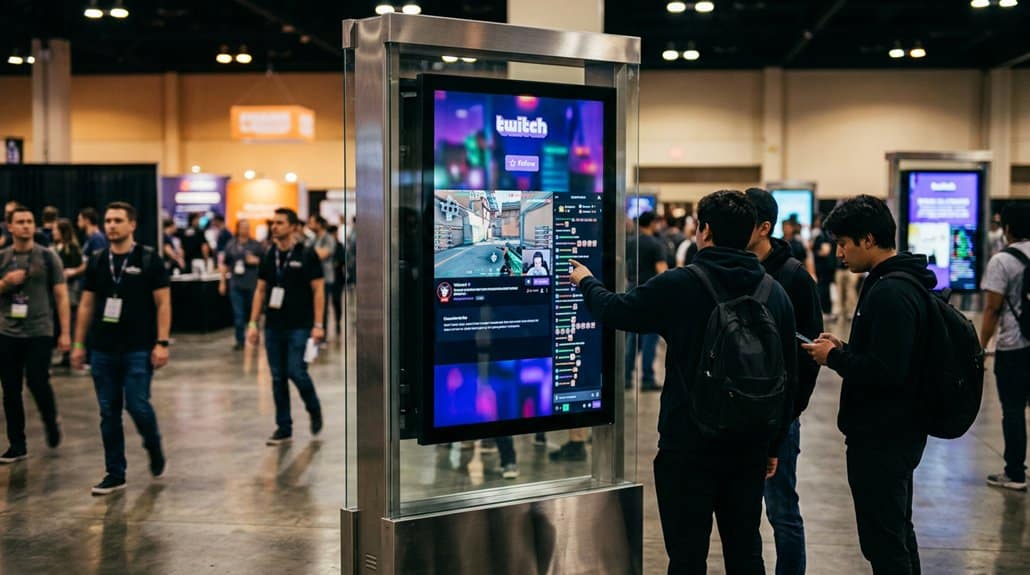
To effectively drive viewership, leveraging Twitch’s interactive features is essential. These tools, like live polls, chat integrations, and real-time interactions, greatly enhance viewer participation. Engaged audiences are more likely to stay longer, boosting your engagement metrics. Streamers can utilize Twitch Extensions to incorporate games and activities, providing opportunities for active audience involvement, which promotes extended viewing sessions.
Subscribers can share feedback during streams, allowing for content adjustments based on real-time data, tailoring experiences to viewer preferences. This data-driven approach not only retains viewers but attracts a wider audience. Additionally, Twitch’s varied content appeals to younger demographics, known for engaging with interactive media, making digital signage campaigns more effective. With strategic use, Twitch’s features can transform passive viewers into active participants.
Solve Common Twitch Streaming Challenges on Signage
While embedding Twitch streams into digital signage offers dynamic content opportunities, it presents technical hurdles that must be navigated strategically. Stream stability is essential, requiring a steady internet connection of 4-6 Mbps for seamless 1080p playback. Overcome audio restrictions by integrating engaging visuals and captions to maintain viewer interaction effortlessly. Prepare for fluctuating channel statuses—offline channels can disrupt engagement with placeholder images or trailers. Stay ahead by using the recommended URL format to enable automatic playback and sidestep restrictions.
Navigating technical hurdles is key to embedding Twitch streams seamlessly into digital signage with dynamic content opportunities.
- URL Format: Use `https://player.twitch.tv/?channel=YOUR_CHANNEL&parent=twitch.tv&autoplay=true` to optimize stream functionality.
- Visual Alternatives: Leverage eye-catching visuals when audio isn’t supported.
- Connectivity: Guarantee robust internet for uninterrupted streaming to maintain viewer engagement.
Evaluate Your Twitch Signage Campaign’s Success
How do you measure success in a Twitch signage campaign? Start with viewer metrics—average watch time and peak concurrent viewers—critical for campaign analysis. Reports show campaigns boosting tune-in intent by up to 23%, signaling effective brand lift. Explore performance analytics to assess interactions, noting how frequently streams are shared or commented on.
| Key Metrics | Benchmarks/Results |
|---|---|
| Average Watch Time | Compare to past averages to assess viewing quality. |
| Peak Concurrent Viewers | Gauge viewer interest and identify content spikes. |
| Tune-in Intent | Target a tangible increase; some campaigns see a 23% improvement. |
| Viewer Retention | Benchmark against Twitch’s 1.3 trillion minutes in 2023 for thorough engagement insights. |
Surveys can offer qualitative insights, finalizing your strategic analysis.
Stay Ahead: Emerging Trends in Twitch and Digital Signage
You’re witnessing a pivotal shift as Twitch streams are increasingly integrated into digital signage, capitalizing on its 240 million monthly users to reach young audiences effectively. Campaigns that merge Twitch with Digital Out-of-Home strategies have already increased tune-in intent by 23%, showing measurable impact. By leveraging advanced audience targeting through partners like Vistar Media, you can craft signage content that dynamically engages and adapts to specific community interests, strengthening brand connections.
Twitch Integration Advancements
Twitch’s integration capabilities with digital signage have rapidly evolved, offering organizations a powerful tool to engage live audiences and boost viewer interaction. Advances in streaming technology now allow for real-time content flow and precise audience analytics, making digital signage more interactive and targeted. By embedding Twitch streams through URLs with essential parameters, you guarantee seamless content delivery without hiccups. Additionally, collaborating with platforms like Vistar Media empowers you to harness audience targeting techniques, delivering specific content to key demographics, enhancing relevance and engagement.
- Real-time streaming: Guarantee seamless live content delivery.
- Audience analytics: Target demographic-specific content for enhanced engagement.
- User-generated content: Leverage UGC for authentic and dynamic displays.
Incorporating Twitch into your digital signage strategy means staying ahead in the ever-evolving digital landscape.
Signage Content Innovations
Despite the fast-paced changes in digital technology, staying at the cutting edge of signage content means embracing Twitch’s influence on viewer engagement and interaction. By leveraging Twitch’s impressive user engagement, specifically the average 95+ minutes of daily viewing time, you can strategically enhance content curation efforts for digital signage. Integrating Twitch streams enriches viewer experiences while tapping into its 240 million monthly users, offering dynamic showcases ideal for audience targeting.
Incorporating user-generated content (UGC) like viewer comments fosters interaction, transforming signage into a community-driven platform. Twitch’s embed integration, thanks to the `parent=twitch.tv` parameter, guarantees seamless, unrestricted content flow. The latest trends confirm brands employing Twitch advertising see notable brand lift and retention, making it an essential tool in your real-time marketing arsenal.
Frequently Asked Questions
How Can Twitch Enhance Real-Time Interactions on Digital Signage?
Twitch enhances real-time interactions by transforming digital signage into dynamic streaming experiences. You’ll achieve strategic viewer engagement through live feedback and audience participation, increasing immediacy and interactivity, ultimately elevating the overall user experience with real-time content integration.
What Demographics Are Most Responsive to Twitch Content on Signage?
You know the key demographics for Twitch content are millennials and Gen Z. They’re driven by interactive content types and engagement metrics, fueling platform growth. Cultivating brand loyalty hinges on understanding their viewer habits and making targeted strategies.
How Do Brands Design Impactful Twitch Messages for DOOH Platforms?
You’ve got to focus on brand messaging through visual storytelling, ensuring content adaptation for maximum audience engagement. Leverage platform synergy to create messages that captivate and resonate with viewers, optimizing impact across digital out-of-home (DOOH) platforms.
What Are Legal Considerations for Streaming Twitch on Public Signage?
Imagine displaying a live gaming tournament on public signage. You’d need streaming permissions, handle copyright considerations, and guarantee user-generated content’s moderated. A solid legal strategy avoids infringements, promoting compliant, engaging digital displays for your audience.
How Does Twitch Signage Integration Support Community Building?
Twitch signage integration boosts community interaction by providing a dynamic platform for Twitch engagement in public spaces. You’ll cultivate relationships and amplify collective experiences, enhancing local connections through shared content and real-time participation, strengthening your community’s bond.
Conclusion
As you venture into the dynamic domain where Twitch meets digital signage, remember that successful campaigns often require a blend of creativity and practicality. Use Twitch’s interactive features to captivate viewers, while ensuring your streams are as smooth as silk. Troubleshooting common hiccups will keep your digital presence vibrant and engaging. Evaluate results with a data-driven lens and watch trends like a hawk. By doing so, you’ll be ahead of the curve, reaching audiences with finesse and flair.