

You can use a Training Tracker on digital signage to revolutionize internal communication by providing real-time updates and keeping training information visible and engaging. This method cultivates a culture of continuous learning, while visuals like leaderboards and milestones propel motivation. It allows for timely feedback and keeps everyone informed without inbox clutter. By implementing this strategy, you’ll not only streamline information but also boost employee engagement and accountability. Discover the full potential of integrating this dynamic tool.
Key Takeaways
- Integrates with LMS for real-time data, enhancing awareness and accountability in training communication.
- Displays eye-catching visuals and leaderboards to promote motivation and focus on learning initiatives.
- Enables tailored, engaging content through analytics, ensuring relevant and impactful internal communication.
- Promotes continuous learning culture and boosts morale with recognition for team and individual achievements.
- Utilizes digital signage for strategic visibility, reducing inbox overload and capturing employee attention effectively.
How Does a Training Tracker Work?
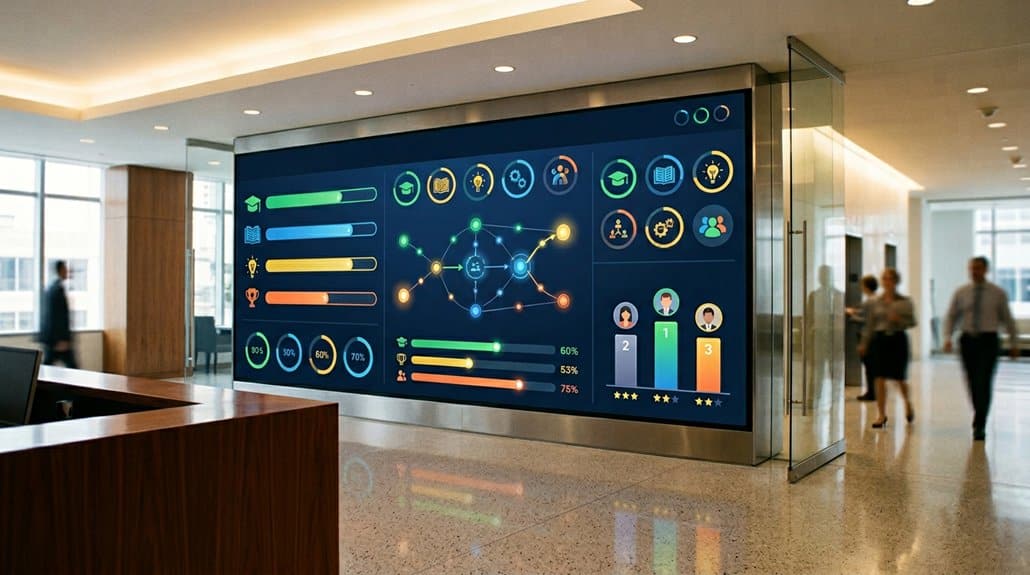
Ever wondered how a Training Tracker actually works on digital signage? It’s all about progress tracking and engagement metrics. By integrating with your existing Learning Management System (LMS), the tracker pulls real-time data on employee participation. You’ll see completion rates, scores, and hours logged in a visual format, right on-screen. This visual representation allows managers to quickly identify training effectiveness and spot areas needing improvement.
What makes this so impactful is the immediate feedback and recognition employees receive. As milestones are flaunted on digital signage, it boosts motivation and accountability. You’re not just managing progress; you’re cultivating an environment rich in continuous learning. By displaying these metrics, your team is constantly reminded of their goals and encouraged to aim for, and celebrate, their achievements.
Setting Up Digital Signage for Training Updates
Building on the impact of visual progress tracking, setting up digital signage for training updates can revolutionize how information is shared within your organization. By strategically considering digital signage placement, you guarantee essential updates reach all employees. Place screens in high-traffic areas to keep training information at the forefront of everyone’s mind without overwhelming their inboxes.
Digital signage allows you to showcase dynamic content like videos and quizzes, enhancing engagement. Additionally, centralized management guarantees the content update frequency remains ideal, reflecting the latest policies and achievements promptly. This creates a culture that values recognition and continuous learning.
Here’s a quick guide:
| Aspect | Benefit | Action |
|---|---|---|
| Placement | High visibility | Use in break and common areas |
| Content Type | Dynamic and interactive | Integrate videos and quizzes |
| Update Frequency | Real-time relevance | Regularly update to reflect new info |
Implement these strategies, and enjoy streamlined communication.
Why Choose Digital Signage for Training?
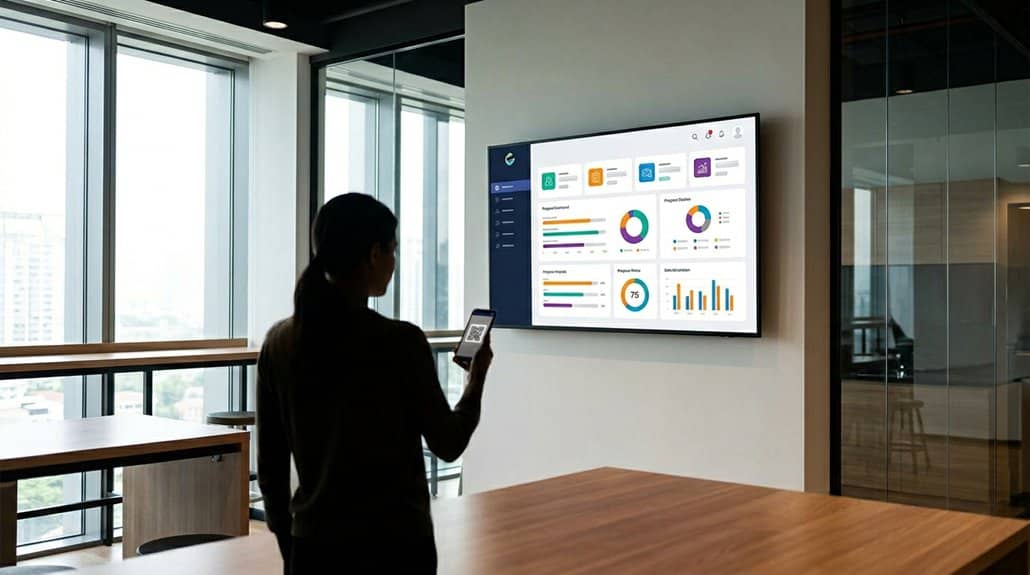
Imagine transforming your organization’s training methodology with digital signage. It’s not just a modern tool; it’s a training innovation that boosts employee motivation and engagement. Visual content is more engaging, making it easier for employees to retain information compared to traditional methods. Real-time updates keep everyone informed of their progress, sparking a proactive learning environment. By reducing dependency on printed materials, digital signage is both cost-effective and environmentally friendly.
The interactive features allow you to tailor learning experiences, incorporating quizzes and polls to keep employees actively involved. Standardize your onboarding processes by delivering consistent key policies and schedules, enhancing compliance and efficiency. With digital signage, you’re investing in a smarter, more dynamic approach to employee learning.
Effective Strategies to Promote Training Sessions
To grab attention and boost participation, leverage visual storytelling through digital signage by using vivid graphics and compelling narratives. Highlighting key benefits and takeaways from upcoming training sessions with engaging multimedia content will make employees more enthusiastic to learn. Don’t forget to include testimonials and success stories to demonstrate real value and inspire others to sign up.
Leverage Visual Storytelling
Visual storytelling on digital signage transforms training promotion into an engaging narrative that’s easy for employees to absorb and act upon. By leveraging eye-catching visuals and concise messaging, you can boost employee engagement, making training sessions more memorable and impactful. Implement engaging graphics and animations to visually illustrate skills gained, showing how they enhance individual careers and align with organizational goals. Incorporate employee testimonials and success stories from previous sessions to make training benefits relatable and compelling.
Adding interactive elements like QR codes linked to resources or sign-up forms simplifies the registration process, encouraging immediate participation. Real-time updates on training progress and attendance foster a sense of urgency and accountability, enhancing overall participation rates. Make each message count and create a culture of continuous learning through visual storytelling.
Highlight Key Training Benefits
Elevating training session attendance and engagement starts with effectively highlighting the key benefits through digital signage. By showcasing schedules and unique advantages, you’re fostering employee motivation and increasing training awareness. Regularly remind your team of professional development opportunities to potentially raise attendance rates by up to 30%. Keep employees engaged with real-time updates on training progress and completion rates, driving accountability. Promote the networking opportunities and skill-building benefits to boost participation and collaboration. Featuring employee testimonials and success stories will inspire your workforce, reinforcing a continuous learning culture. Finally, consistently promoting training resources—like online modules and workshops—through digital signage guarantees ongoing skill enhancement, creating a stronger, more capable team ready to tackle future challenges.
Techniques to Showcase Training Milestones Visually

You’re well-equipped to transform your workspace by utilizing digital signage to visually showcase training milestones. By implementing progress indicators like charts and countdowns, you can keep everyone informed and motivated to achieve their goals. Don’t forget to celebrate skill development and attendance with engaging multimedia and recognition of top performers, making training more rewarding for all involved.
Visual Training Progress Indicators
Imagine walking into a workspace and immediately being greeted by a dynamic display of progress bars and checkmarks on digital signage, signifying the strides you’ve made in your training program. This interactive feedback uses motivational displays to encourage commitment to training goals. Color-coded systems make it easy to track progress at a glance, while real-time updates keep you informed and accountable.
| Element | Benefit | Outcome |
|---|---|---|
| Progress Bars | Easy visual tracking | Boosts motivation |
| Checkmarks | Signals completed milestones | Encourages continued effort |
| Color Coding | Quick progress understanding | Enhances engagement |
Multimedia like infographics transform complex data into informative, digestible content, ensuring you’re always aware of growth. Keeping these visual indicators consistent supports a culture of continual development, aligning with organizational growth missions.
Celebrating Skill Development Achievements
While visual indicators like progress bars and checkmarks set the stage for tracking training progress, it’s celebrating skill development achievements that can truly elevate the learning experience. By using digital signage to highlight milestones, you’ll boost motivation and foster a culture of learning. Here’s how:
- Team Recognition: Display completion certificates or badges with employee photos. This personal touch strengthens team bonds and individual pride.
- Achievement Celebration: Recognize “Top Learner of the Month” to inspire healthy competition and drive participation. This recognition boosts morale and encourages skill growth.
- Success Stories: Regularly update screens with testimonials and success narratives. Sharing employee experiences showcases the value of continuous learning, driving engagement, and collaboration.
Embrace these visual techniques to elevate internal communication and celebrate your team’s achievements!
Highlighting Training Session Attendance
One effective technique to visually showcase training milestones is to use digital signage for displaying training session attendance. By utilizing graphs or charts, you can effortlessly highlight attendance trends, allowing your team to quickly grasp participation patterns over time. This not only informs but also motivates through dynamic leaderboards, showcasing top attendees or teams and promoting healthy competition. Implementing participation incentives, such as completion badges, adds an engaging element, inspiring others to reach and surpass milestones. Real-time attendance tracking displayed visibly encourages accountability and keeps everyone informed about their training status. Enhance clarity using eye-catching visuals to differentiate between completed, ongoing, and upcoming sessions. This approach guarantees your team stays engaged, informed, and motivated towards continuous growth and improvement.
Boosting Engagement With Training Metrics
Integrating training metrics with digital signage can truly elevate employee engagement by providing continuous, real-time updates on both individual and team progress within training programs. By applying effective engagement strategies and motivation techniques, you’ll create an environment where employees are driven to excel. Here’s how it works:
- Accountability & Motivation: Visual updates foster accountability, encouraging employees to stay motivated as they track their learning journey.
- Enhanced Retention: Visually displayed data guarantees higher information retention, with employees remembering 65% of visuals compared to just 10% of text.
- Healthy Competition: Visible training milestones spark a healthy competitive spirit, boosting participation in learning initiatives by 25%.
Regular updates alongside company goals can seamlessly connect skill development with organizational success, improving overall morale and performance outcomes.
Best Practices for Updating Training Content
Regularly updating your training content is vital for maintaining its effectiveness and relevance. By evaluating and adjusting training materials quarterly, you guarantee they align with the latest organizational policies and industry standards. This proactive approach prevents compliance issues and boosts employee effectiveness. Content personalization plays an essential role here. Tailor content to individual needs using real-time analytics, and enhance engagement through eye-catching visuals on digital signage. Don’t overlook the power of feedback integration; gather employee insights and performance metrics to pinpoint what needs refining. Announcing updates via digital signage not only catches employees’ attention but also supports continuous learning and adaptation. A strategic update schedule keeps your training program vibrant, making certain resources hit the mark where they’re most needed.
Examples of Effective Training Tracker Use
Imagine a workplace where digital signage seamlessly integrates with a Training Tracker to revolutionize how you monitor and enhance employee development. By following best practices, you can transform your approach to training. Real-world examples of effective Training Tracker use demonstrate how digital engagement boosts accountability and motivation. Here’s how you can make it work:
Integrate digital signage with Training Tracker to boost accountability and motivation, transforming employee development.
- Real-Time Progress: Display completion rates and performance metrics to foster a culture of responsibility and achievement.
- Interactive Content Access: Enable employees to access training materials directly, streamlining onboarding and ensuring they have the resources they need.
- Dynamic Milestone Recognition: Highlight accomplishments visually to promote a continuous learning environment, celebrating achievements and encouraging progress.
Integrating Training Trackers for Maximum Impact
Integrating Training Trackers with digital signage can greatly boost employee engagement by making training materials and progress metrics instantly visible and motivating. You’ll streamline content delivery using centralized management, ensuring seamless and up-to-date communication that keeps everyone informed and aligned. This integration doesn’t just enhance the learning experience—it fosters a culture of continuous development that benefits your entire organization.
Maximizing Training Engagement
How can you supercharge your employee training initiatives? Integrating a Training Tracker into digital signage can transform the way you engage with learning programs. Use these engagement techniques to make the most of this powerful tool:
- Real-time Updates: Keep your team informed with dynamic displays showing training progress, completion rates, and upcoming sessions. These instant insights act as training reminders that motivate participation.
- Visual Content: Utilize visually appealing and interactive elements to capture attention and improve retention. This approach makes learning far more engaging compared to traditional methods.
- Analytical Insights: Leverage data from the Training Tracker to understand engagement metrics. Refine your programs by aligning them with what employees need, enhancing their professional development path.
Implementing these strategies boosts training engagement, productivity, and growth.
Streamlining Content Delivery
As you seek to streamline content delivery, integrating Training Trackers with digital signage can markedly enhance your employee development strategy. By centralizing training information, you’re not only fostering content organization but also ensuring message clarity. Real-time updates on training progress instill a culture of accountability and continuous learning. Visual displays capture team achievements, boosting engagement and motivating participation in forthcoming sessions.
Integrating Training Trackers allows you to:
| Benefit | Impact |
|---|---|
| Centralized Information | Reduces communication gaps |
| Real-Time Updates | Enhances employee motivation and feedback |
| Visual Engagement | Highlights achievements and upcoming events |
These displays keep employees informed on new training opportunities, deadlines, and popular courses, thereby optimizing future offerings based on engagement and needs. Boost attendance with clear, concise messaging relayed through dynamic digital displays.
How Training Trackers Improve Communication?
When training trackers are displayed on digital signage, they greatly enhance communication within an organization. You’ll benefit from real-time feedback, which keeps everyone informed and boosts transparency. This enhances employee motivation by showing progress, completed modules, and upcoming training opportunities, inspiring participation.
Here are ways training trackers improve communication:
- Real-Time Updates: See real-time feedback on employee progress, enhancing accountability and providing a clear picture of training status.
- Consolidated Information: By combining training schedules and performance metrics with deadlines, confusion is reduced, and focus is maintained on achieving targeted goals.
- Engagement and Recognition: Employees can view leaderboards and receive recognition for achievements, fostering a culture of continuous learning and boosting motivation across the board.
Frequently Asked Questions
How Can Training Trackers Enhance Team Collaboration?
Training trackers enhance team collaboration by boosting team cohesion through transparent progress sharing. You’ll find skill sharing becomes easier, encouraging learning from each other’s strengths and weaknesses, resulting in a more united and effective team effort.
Are There Privacy Concerns With Displaying Training Data?
Imagine your team’s training stats are broadcasted, raising data sensitivity issues. Employees might worry about privacy breaches. It’s critical to secure employee consent, ensuring trust and compliance with privacy standards while sharing only necessary data.
What Hardware Is Needed for Digital Signage?
You’ll need a compatible screen, like LED or LCD, and a media player for content. Screen types impact viewing experience, so choose wisely. Consider installation tips, like wall mounts, to optimize visibility and guarantee secure placement.
Can Training Trackers Be Customized for Different Departments?
Yes, you can customize training trackers for different departments, addressing concerns about user interface flexibility. Tailor your content, ensuring department-specific customization, and provide a visual representation of ideas, making information visually engaging and easily understood by each department.
How Do Training Trackers Support Remote Employees?
Training trackers support remote employees by providing clear performance metrics and boosting engagement rates. You’ll easily track your progress and see where improvements are needed, all while staying connected with your team’s goals, even from afar.
Conclusion
Imagine transforming your workplace into a buzzing hub of communication brilliance! By using training trackers on digital signage, you’ll propel your team to unprecedented heights of efficiency and engagement. It’s the ultimate game-changer, turning mundane updates into electrifying visual experiences that captivate every onlooker. Don’t just blend into the background—light up your internal communications and watch your team’s unity and productivity skyrocket beyond your wildest dreams! Make this leap, and release the future of training today!