
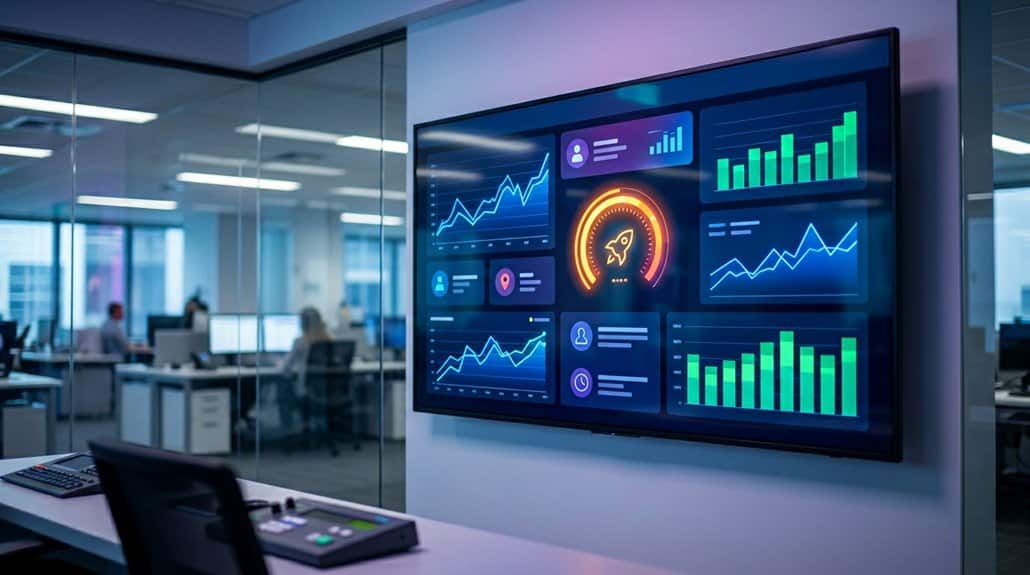
You can leverage Looker Studio to transform your digital signage into a dynamic, real-time analytics tool. As a cloud-based platform, it integrates smoothly with data sources like Google Analytics, providing instant updates and actionable insights. Implement security measures such as SSO and MFA to safeguard data integrity. With features like branded dashboards and automatic refresh, you’re set for enhanced engagement and informed decision-making. Explore further to elevate your digital signage strategy.
Key Takeaways
- Integrate Looker Studio with signage systems for automated, real-time metric updates directly on digital displays.
- Ensure seamless data synchronization with EasySignage integration to maintain up-to-date information visibility.
- Customize interactive dashboards with branded visuals to enhance viewer engagement and display relevance.
- Use role-based access controls and security protocols to protect dashboards from unauthorized access.
- Foster informed decision-making and transparency through continuous data flow on digital signage.
Understanding Looker Studio: An Introduction to Its Features and Benefits
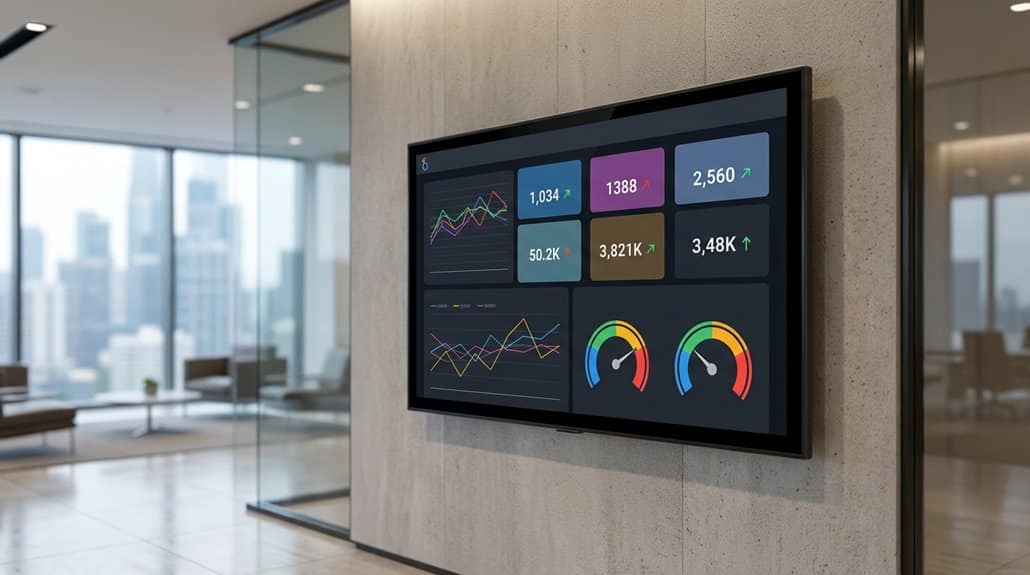
Picture a control panel of insights—Looker Studio provides a dynamic platform where data takes shape into impactful visuals. As a free, cloud-based data visualization tool by Google, it’s designed to transform raw information into interactive dashboards suitable for any user. You’ll appreciate its seamless integration with a variety of data sources like Google Analytics and BigQuery, offering an expansive view of your business metrics in real time.
The robust user experience allows you to create customized dashboards with branded visuals, ensuring alignment with your organization’s identity. In addition, the platform’s capability to automatically update data means your teams are always informed with the latest metrics. By broadcasting live reports, Looker Studio enhances data accessibility and connectivity across all operational areas.
Step-by-Step Setup of Looker Studio for Real-Time Displays
Kick off the setup of Looker Studio for real-time displays by first creating a dashboard, verifying your chosen data sources, like Google Analytics or Google Sheets, are accurately connected for live updates. Once your dashboard’s crafted, publish it and share the URL for external access, prepping it for digital signage. Remember, real-time customization is essential—tailor the visual layout to maximize dashboard optimization, enhancing engagement.
| Action | Purpose | Emotion Evoked |
|---|---|---|
| Connect Data Sources | Verify Live Updates | Confidence |
| Publish and Share URL | Enable External Access | Excitement |
| Customize Dashboard | Optimize for Screen Display | Satisfaction |
| Adjust Refresh Rates | Accurate Real-Time Metrics Display | Trust |
Monitor refresh rates to keep data fresh and insightful.
Seamless Streaming: Integrating Looker Studio With Screencloud

Integrating Looker Studio with ScreenCloud enables streamlined data integration and effortless dashboard display, transforming how you share real-time insights. By embedding report URLs directly into ScreenCloud, your dashboards update automatically with the latest data, eliminating manual refreshes. This guarantees that your team stays aligned on KPIs, fostering a data-driven culture and informed decision-making across your organization.
Streamlined Data Integration
When aiming for seamless data integration, it’s essential to leverage platforms like Looker Studio and ScreenCloud together, enhancing digital signage with real-time insights. Through secure web embedding, Looker Studio’s data visualization and interactive dashboards come alive on your screens. By selecting and publishing a report, you generate a URL—a passport to ScreenCloud. This approach guarantees automatic synchronization with sources like Google Analytics, maintaining real-time data accuracy and relevancy.
Here’s a quick glance:
| Element | Purpose | Benefit |
|---|---|---|
| Secure Web Embedding | Integrates data seamlessly | Real-time visuals |
| Automatic Synchronization | Continuous data updates | Up-to-date metrics |
| Customization Options | Tailor dashboards for impact | Enhanced decision-making |
Integrating these tools allows you to showcase performance metrics, promoting clear visibility and strategic insights.
Effortless Dashboard Display
Although integrating Looker Studio with ScreenCloud for digital signage can seem complex, leveraging these tools results in a remarkably seamless display of real-time metrics. By securely embedding dashboards using generated URLs, you can guarantee uninterrupted, up-to-date metric visualizations. With capabilities like custom dashboard design, you have the flexibility to align with your brand and highlight key data points effectively. Interactive display features enhance user engagement by allowing viewers to navigate through detailed analytics.
The setup is straightforward: share and publish your Looker reports and easily connect them via EasySignage. Automatic refresh guarantees the data remains current, eliminating manual updates. Diverse data sources, from Google Analytics to CRM systems, offer extensive insights, supporting informed decision-making across your business landscape.
Effortless Updates for Real-Time Analytics
Forget manual updates; Looker Studio guarantees your data is always current by automatically updating dashboards with connected data sources. By integrating with platforms like Google Analytics and CRM systems, you harness dynamic data visualization and automated reporting strategies to keep metrics fresh and relevant on your digital signage screens.
- Seamless Synchronization: With platforms like Google Sheets, real-time data updates occur effortlessly, requiring no manual intervention.
- Custom Refresh Rates: Tailor update frequencies to meet specific audience and environment needs, ensuring data relevance and timeliness.
- EasySignage Integration: Secure web embedding via EasySignage enables straightforward updates, maximizing efficiency when new data arrives.
- Informed Decision-Making: Automatic updates help maintain visibility into KPIs and operational metrics, fostering data-driven insights across teams.
Leverage Looker Studio to optimize how you present and update analytics in real-time.
Keeping Your Display Data Safe and Private
When you use Looker Studio for digital signage, it’s critical to leverage features like Single Sign-On and Multi-Factor Authentication to secure your data. Implementing IP address controls, role-based access management, and sharing protocols helps guarantee only authorized users access sensitive information. By focusing on these security measures, you can maintain both data integrity and privacy, fostering trust within your organization.
Ensuring Data Security
- Single Sign-On (SSO) and Multi-Factor Authentication (MFA): Strengthen login processes to safeguard data and access.
- Role-Based Access Controls: Restrict data visibility to authorized users, ensuring confidential metrics are only seen by those who need them.
- Password-Protected Browser Tabs: Enhance dashboard security, keeping critical information confidential and secure.
- IP Address Control: Prevent unauthorized access from unfamiliar devices and locations, adding an additional layer of protection.
These security measures assure you can trust Looker Studio to maintain confidentiality and integrity in data sharing practices across your organization.
Protecting Privacy Measures
As digital signage becomes increasingly central to organizational communication, securing the privacy of display data is paramount. Implement password-protected tabs for Looker dashboards to restrict unauthorized access, maintaining data confidentiality. Enhance user authentication with Single Sign-On (SSO) and Multi-Factor Authentication (MFA), protecting sensitive information. Role-based access controls within Looker Studio guarantee only authorized personnel interact with specific metrics. Regularly update security protocols to adapt to new threats, safeguarding real-time metrics.
| Measure | Impact | Result |
|---|---|---|
| Data Encryption | Enhanced data security | Increased privacy |
| Privacy Policies | Controlled data dissemination | Improved data integrity |
| Role-Based Access | Limited user access | Authorized viewer control |
| Regular Updates | Mitigation of vulnerabilities | Ongoing data protection |
Promote best practices for secure data sharing on screens.
Maximizing Engagement: Live Data Dashboards for Employees
To truly maximize employee engagement, leveraging Looker Studio’s capability to create live data dashboards proves invaluable. Real-time dashboards can greatly boost employee motivation by promoting data literacy and guaranteeing immediate access to performance metrics. Here’s how:
- Real-Time Access: Employees gain instant visibility into key performance indicators (KPIs), boosting data-driven decision-making.
- Customization for Roles: Tailor dashboards to fit specific departmental needs, maximizing relevance and employee engagement.
- Transparency Culture: Continuous data flow from sources like Google Analytics fosters openness and informs team strategies.
- Enhanced Collaboration: Visible real-time metrics displayed on digital signage encourage proactive discussions among team members.
Prioritizing these aspects guarantees your workforce stays informed and motivated, driving superior organizational performance through data insights.
Navigating Common Digital Signage Challenges With Looker Studio Solutions
Building on the strength of real-time data dashboards for enhancing employee engagement, the focus shifts to solving prevalent challenges in digital signage through Looker Studio’s capabilities. You face issues like outdated data and generic messaging. Looker Studio offers seamless integration with your signage systems, enabling real-time updates without manual effort, thereby eliminating outdated information concerns. Additionally, its customization options allow you to tailor dashboards for specific audiences, addressing generic content challenges through effective audience targeting. Enhanced security features, such as Single Sign-On (SSO) and Multi-Factor Authentication (MFA), guarantee sensitive data stays protected, even in public environments. With the ability for live snapshots, custom alerts can be set up to maintain transparency, facilitating collaborative decision-making and breaking down organizational silos.
Future-Proof Your Digital Signage With Looker Studio
Why settle for outdated, static displays when you can future-proof your digital signage with the dynamic prowess of Looker Studio? Embrace future trends in data visualization to keep your audience engaged and informed.
With Looker Studio, you can:
- Display Interactive Dashboards: Show real-time KPIs and metrics for informed decision-making.
- Guarantee Secure Data Synchronization: Integrate with EasySignage for automatic updates, avoiding manual intervention.
- Customize for Maximum Engagement: Tailor branded dashboards for different audiences, ensuring relevant visibility.
- Fortify Security: Utilize features like Single Sign-On and IP address control to prevent unauthorized access.
Looker Studio’s real-time data support across platforms like Google Analytics and BigQuery guarantees your displays are always current and impactful, safeguarding them against obsolescence.
Frequently Asked Questions
How Does Looker Studio Support Different Screen Resolutions for Digital Signage?
You’ll find Looker Studio’s responsive design guarantees seamless screen compatibility. It automatically adjusts layouts to fit various screen resolutions, so you won’t worry about content distortion, guaranteeing clear visual data representation across any digital signage display.
What Internet Connectivity Is Required for Consistent Real-Time Metric Updates?
Your internet connection needs to be as fast as the speed of light for seamless real-time updates. Prioritize stable bandwidth requirements and connection reliability; this guarantees your metrics don’t miss a beat and update consistently.
Can Looker Studio Dashboards Be Customized for Different Departments?
Yes, you can customize Looker Studio dashboards to create department-specific views. By configuring user access permissions, you guarantee each department sees relevant data, maintaining data security while enhancing operational efficiency with tailored information delivery.
How Do You Troubleshoot Display Issues With Looker Studio on Digital Signage?
To hit the nail on the head, check your network connectivity for display performance issues and guarantee there’s no data latency. Regularly update Looker Studio and signage software, and verify hardware compatibility to troubleshoot effectively.
Is There a Way to Schedule Specific Data Views on Digital Signage?
Yes, you can schedule specific data views to enhance data visualization and boost audience engagement. By setting up a schedule, you guarantee relevant information is displayed at ideal times, maximizing both viewer impact and understanding of key metrics.
Conclusion
By embracing Looker Studio, you’re not just adopting a tool—you’re revealing a subtle secret to transforming your digital signage into a dynamic information powerhouse. This seamless integration guarantees that your analytics are as fresh as morning dew, intriguing employees and keeping data secure in an ever-evolving digital landscape. Overcome typical hurdles with ease and let Looker Studio future-proof your displays, assuring they’re not just displays, but interactive spectacles that engage and inform continuously.